Stock Discrepancy: The Complete Guide to Causes, Fixes & Prevention (2026)
| By Stockount
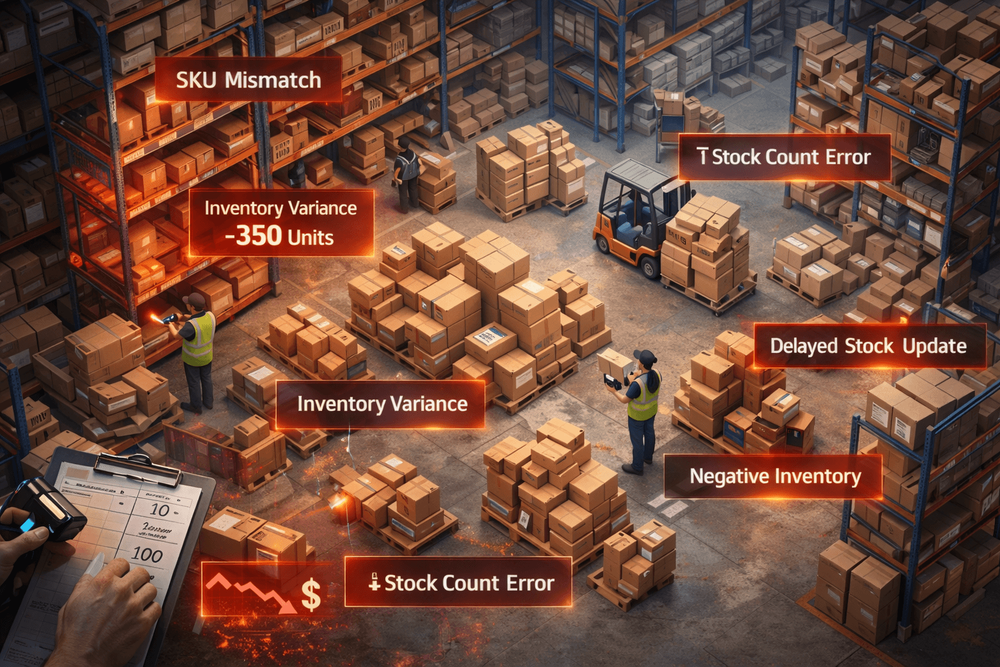
AI Overview Summary
A stock discrepancy is a difference between the inventory quantity recorded in a system and the actual physical stock present in a warehouse or store. It happens due to human error, theft, delayed data entry, system mismatches, or poor warehouse processes. Stock discrepancies cost businesses billions annually through lost revenue, inaccurate reporting, and supply chain failures. Modern inventory audit platforms like Stockount help businesses eliminate these gaps with real-time tracking, automated reconciliation, and instant discrepancy alerts, replacing manual processes that are error-prone by design.
What is Stock Discrepancy?
A stock discrepancy — also called an inventory mismatch or stock variance — occurs when the quantity of an item recorded in your inventory management system does not match the quantity physically present on your shelves.
Real-world example:
Your system says you have 500 units of Product A in Warehouse B. A physical count reveals only 462 units. That gap of 38 units is a stock discrepancy. It could mean 38 units were stolen, miscounted, entered incorrectly, or simply placed in the wrong location.
For any business managing physical goods, whether a small retailer or a large distribution centre, even small recurring discrepancies compound into significant financial exposure over time.
What Causes Stock Discrepancies?
Stock discrepancies rarely have a single cause. Most warehouse operations deal with a combination of the following:
- Human error — Warehouse staff miscounting items during receiving, picking, or storage is the most common cause of inventory mismatch
- Manual data entry mistakes — Typing the wrong SKU, quantity, or unit of measure creates immediate stock variance in your system
- Theft or shrinkage — Both internal theft and shoplifting create silent stock losses that only surface during a physical audit
- System mismatch — When your ERP, POS, or warehouse management system (WMS) are not integrated, updates made in one system may not sync to another
- Delayed stock updates — Recording a receipt, transfer, or return hours or days after it happens creates a window where your system data is simply wrong
- Warehouse mismanagement — Poor location labelling, incorrect put-away, and inconsistent bin organisation mean stock exists but cannot be reliably found or counted
- Returns not processed correctly — Customer returns that are placed back into available stock without being scanned or updated create phantom inventory
According to the IHL Group, inventory distortion,which includes both overstocks and out-of-stocks caused by discrepancies, costs global retailers approximately $1.77 trillion per year.
The Business Impact of Stock Discrepancies
Inventory inaccuracy is not an operational inconvenience. It is a business risk.
Financial Loss
Every unit of untracked inventory is a unit of untracked revenue. Businesses over-order because they believe they are low on stock, paying for goods they already have. They write off products they cannot locate. They pay storage costs on inventory that does not exist in their system.
Supply Chain Disruption
When stock levels are inaccurate, reorder points trigger at the wrong time. This leads to stockouts for fast-moving products and excess inventory for slow-moving ones. Suppliers receive incorrect purchase orders. Lead times extend. The entire supply chain moves on bad data.
Customer Dissatisfaction
A customer places an order for an item shown as "in stock." The warehouse cannot find it. The order is delayed or cancelled. According to Salesforce research, 89% of customers are more likely to make another purchase after a positive service experience — and significantly less likely after a fulfilment failure.
Reporting Errors
Inaccurate stock figures feed into your financial statements, demand forecasts, and procurement plans. Boards and investors make decisions based on inventory valuations that are simply wrong. This creates compliance risk for audited businesses and strategic risk for everyone else.
How to Fix Stock Discrepancies: 6 Proven Methods
1. Implement Cycle Counting
Rather than shutting down operations for a full physical inventory count once a year, cycle counting involves counting a rotating subset of your inventory on a continuous schedule. Items are counted multiple times per year, with high-velocity or high-value SKUs counted more frequently.
Cycle counting catches discrepancies while they are still small and identifies problem areas in your warehouse processes before they escalate.
2. Use Barcode and RFID Scanning
Manual entry is where most discrepancies begin. Barcode scanning eliminates transcription errors at every stage — receiving, put-away, picking, and dispatch. RFID (Radio Frequency Identification) goes further, enabling bulk scans without line-of-sight, which dramatically improves accuracy in large warehouses.
A 2023 Auburn University RFID Lab study found that RFID implementation increases inventory accuracy from an industry average of 63% to over 95%.
3. Automate Your Stock Reconciliation
Manual reconciliation, comparing a spreadsheet to a physical count, is slow, error-prone, and a poor use of your team's time. Automated reconciliation tools flag discrepancies immediately as data is captured, without waiting for a quarterly audit.
Platforms like Stockount run automated reconciliation in the background, surfacing mismatches as they happen rather than weeks later when the trail has gone cold.
4. Integrate Your Systems (ERP + WMS + POS)
System mismatch is a silent killer of warehouse accuracy. When your point-of-sale, warehouse management, and ERP systems are not talking to each other in real time, every transaction creates a potential discrepancy window.
Full system integration ensures that a sale processed at POS immediately updates your warehouse stock levels, your reorder calculations, and your financial records — with no manual reconciliation step required.
5. Switch to Real-Time Inventory Tracking
Batch updates, where inventory changes are recorded once per shift or once per day, create large windows where your system data does not reflect reality. Real-time inventory tracking closes that window to near-zero.
Stockount's real-time tracking engine updates stock levels the moment a transaction occurs, whether that is a receipt, pick, transfer, or return. Warehouse teams and procurement managers see the same accurate number at the same time.
6. Train Your Warehouse Team
Technology solves a large portion of stock discrepancies, but process discipline closes the remaining gap. Regular training on scanning procedures, returns handling, and location management, combined with clear accountability for discrepancy resolution, reduces the human error rate significantly.
"" Struggling with recurring stock discrepancies?
Modern operations teams are switching to Stockount to automate inventory accuracy in real time, without adding headcount or complexity.
Start improving inventory accuracy with Stockount → Sign up for free →
The Stock Reconciliation Process: Step by Step
Stock reconciliation is the process of comparing your recorded inventory figures against actual physical counts to identify and resolve discrepancies. Here is how to do it systematically:
Step 1: Define the scope
Decide whether you are reconciling your entire inventory or a specific location, product category, or SKU range. For large operations, reconcile in defined zones rather than attempting a full count at once.
Step 2: Freeze transactions temporarily
Before counting, pause all goods movements in the area being reconciled. Counts taken while items are actively moving produce inaccurate results.
Step 3: Conduct the physical count
Use barcode scanners or RFID to count every item in scope. Record counts in real time using a mobile scanning device or inventory app — do not rely on paper that gets transcribed later.
Step 4: Compare against system records
Your inventory platform should generate a variance report automatically, showing every SKU where the physical count differs from the system record, along with the quantity gap and its value.
Step 5: Investigate variances
Work through each discrepancy. Common explanations include: items in transit, unprocessed returns, mis-scanned locations, or shrinkage. Assign ownership to unexplained gaps.
Step 6: Adjust system records
Once you have identified the cause of each variance, update your system to reflect accurate stock levels. Document every adjustment with a reason code for audit purposes.
Step 7: Identify root causes and fix them
Reconciliation is not a fix it is a measurement. Use your variance data to identify which processes, locations, or products generate the most discrepancies, then address the underlying cause.
Automation advantage: Platforms like Stockount compress this entire process by generating live variance reports, sending discrepancy alerts the moment a gap exceeds your defined threshold, and maintaining a complete audit trail automatically, removing the need for manual spreadsheet reconciliation.
Stock Discrepancy vs. Stock Variance: What's the Difference?
These terms are often used interchangeably, but there is a useful distinction:
| Term | Definition | Typical Context |
|---|---|---|
| Stock Discrepancy | A difference between system records and physical stock | Operational / warehouse context |
| Stock Variance | The measured gap, often expressed in units and value | Financial / reporting context |
| Inventory Mismatch | General term for any system-to-physical disagreement | Broad / cross-functional context |
| Inventory Shrinkage | Loss of stock due to theft, damage, or error | Loss prevention / audit context |
All four represent the same underlying problem: your inventory data does not reflect reality.
Frequently Asked Questions
Q1: What is stock discrepancy in inventory?
A stock discrepancy in inventory is the difference between the quantity of an item recorded in an inventory management system and the quantity physically present in a warehouse or store. It is also referred to as an inventory mismatch or stock variance. Discrepancies can be positive (more physical stock than recorded) or negative (less physical stock than recorded).
Q2: What causes stock differences in warehouses?
The most common causes of stock differences in warehouses are human error during counting or data entry, theft or shrinkage, delays in updating the inventory system after a transaction, poor warehouse organisation, and mismatches between separate software systems (such as an ERP and a WMS) that are not integrated in real time.
Q3: How do you reduce inventory discrepancies?
To reduce inventory discrepancies: implement cycle counting instead of annual audits, use barcode or RFID scanning at every transaction point, integrate all your inventory-related software systems so updates are synchronised in real time, automate stock reconciliation, and train warehouse staff on correct scanning and handling procedures.
Q4: Can software eliminate stock mismatch?
Inventory management software cannot eliminate stock mismatch entirely, but it can reduce it dramatically. Platforms with real-time tracking, automated reconciliation, and discrepancy alerting, like Stockount can reduce inventory inaccuracy from the industry average of around 37% to under 3%. Human error and theft remain variables that technology manages but cannot fully eliminate.
Q5: Why is real-time tracking important for inventory accuracy?
Real-time inventory tracking is important because it eliminates the gap between when a transaction happens and when it is recorded in your system. Batch-updated systems create windows, sometimes hours or days wide, where your inventory data is known to be inaccurate. Real-time tracking keeps your system record continuously aligned with physical reality, which improves picking accuracy, reduces stockouts, and makes discrepancy detection instant rather than periodic.
Q6: What is a good inventory accuracy rate?
Industry benchmarks suggest that an inventory accuracy rate above 95% is considered good, and above 98% is excellent. Most businesses operating without dedicated inventory management software operate at 63–75% accuracy. Businesses using real-time tracking systems with cycle counting programmes typically achieve 95–99% accuracy.
Conclusion
Stock discrepancies are one of the most costly and preventable problems in inventory management. Left unchecked, even small gaps between your system records and physical stock snowball into financial losses, supply chain failures, and customer dissatisfaction that damage your bottom line year after year.
The good news is that the root causes are well understood and so are the fixes. Whether you start with cycle counting, introduce barcode scanning at every transaction point, or move to a fully integrated real-time inventory platform, every step you take toward warehouse accuracy pays dividends across your entire operation.
The businesses pulling ahead in 2026 are not those with the most warehouse staff, they are the ones replacing manual processes with intelligent, automated systems that catch discrepancies before they become problems.
The question is not whether you can afford to fix your stock discrepancies. It is whether you can afford not to.
Pro Tip: The Fastest Way to Fix Stock Discrepancies in 2026
If you only do one thing after reading this guide — switch to real-time inventory tracking.
Most businesses lose weeks chasing discrepancies that a live system would have flagged in seconds. Manual spreadsheets, batch updates, and disconnected software are not just slow ,they are the reason your stock data is wrong in the first place.
Here is a simple 3-step action plan you can start this week:
Step 1 — Audit your current accuracy rate.
Run a spot count on your 20 highest-velocity SKUs. Compare against your system. The gap you find is your baseline.
Step 2 — Identify your biggest discrepancy source.
Is it receiving errors? Returns not processed? A system that updates overnight instead of in real time? One root cause typically drives 70–80% of your variance.
Step 3 — Try Stockount free for 15 days.
Connect your inventory data, set your discrepancy thresholds, and let the platform surface mismatches automatically, no spreadsheets, no manual reconciliation, no surprises at audit time.
Did you know? Teams using Stockount typically identify their first actionable discrepancy within 24 hours of setup, before they have even finished onboarding. → Book a 30-minute walkthrough with the Stockount team →