Best Stock Counting Apps for Retail Teams: A Buyer's Guide
| By Stockount
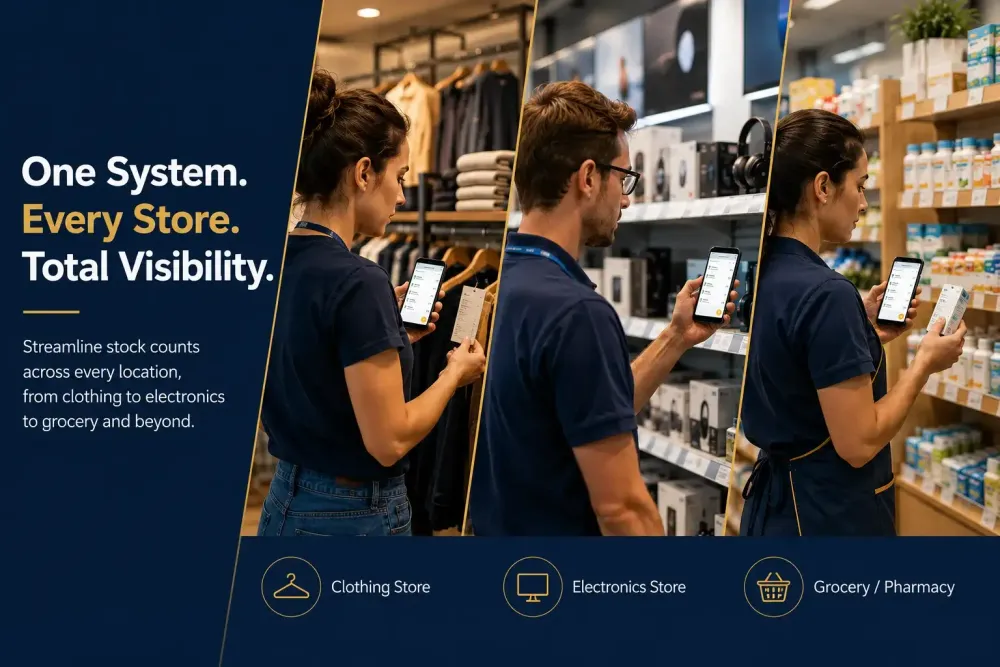
Retail floor counting fails for one reason more than any other: the tool assumes desk conditions — steady Wi-Fi, one person, unlimited time — when the reality is a backroom with two bars of signal, three people counting different sections at once, and a store opening in 40 minutes. This guide compares the best stock counting apps against that reality, with a specific focus on teams running more than one location, where a missed count in one store becomes a reconciliation problem across all of them.
If you want the broader picture first, including full audit and ERP-adjacent platforms, not just phone apps, see our complete guide to inventory counting and audit management software. This post narrows in specifically on mobile stock counting apps built for the retail floor itself.
If you run a single small shop, several of the apps below will serve you well and cost less, we've flagged which ones. If you're running multiple outlets, warehouses, or a retail chain where counts need to sync into a shared ERP, the calculus changes, and that's the core comparison this guide is built around.
Key Stats
- U.S. retailers lost $90 billion to inventory shrink last year, and $66 billion of that — 73% — was preventable (Appriss Retail 2026 Total Retail Loss Benchmark Report, drawing on 250 million customer identifiers plus NRF, IHL Group, and Deloitte benchmarks).
- Employee theft accounts for 29% of total shrink ($26 billion annually), while operational inefficiencies — damaged, spoiled, or miscounted goods — add another 13% ($12 billion) (Appriss Retail 2026 Total Retail Loss Benchmark Report).
- Shoplifting alone cost U.S. retailers an estimated $47.8 billion in 2025, up from $45 billion in 2024 (Capital One Shopping research) — a reminder that faster, more frequent counts catch discrepancies before they compound month over month.
Sources current as of this report's 2026 publication. Re-check figures annually — shrink data updates every year and last year's number reads as stale within months.
Quick Comparison Table
| App | Offline Mode | Barcode Scanning | Multi-User Sync | Multi-Location Support | Free Tier | Best For |
|---|---|---|---|---|---|---|
| Stockount | Full offline counting, sync on reconnect | Native camera scan | Real-time merge across counters | Yes, built for chains | Free trial available | Multi-location retail chains needing ERP-connected, mobile-first counts |
| Sortly | Limited offline | Yes | Yes (paid tiers) | Limited | Yes, small inventories | Single small shop, low SKU count |
| Zoho Inventory | No true offline mode | Yes | Yes | Yes | Yes, limited | Teams already inside the Zoho ecosystem |
| SafetyCulture | Yes | Basic | Yes | Yes | Yes | Checklist-driven audits, counting as one item among many |
| Cin7 | No | Yes | Yes | Yes | No | Multi-channel e-commerce + retail hybrid |
| inFlow Inventory | Partial | Yes | Yes | Limited | Yes, limited | Small-to-mid retailers on a budget |
Feature availability and pricing change frequently. Last verified: 10 July 2026 — recheck every 60-90 days before this table goes stale.
What Actually Matters for Multi-Location Retail Counting
Counting across multiple stores has four requirements a generic single-location inventory app rarely satisfies: offline reliability per store, scan speed under time pressure, multi-user merge without duplicates, and a direct sync into a shared ERP or POS not a CSV export someone uploads later from each location separately.
- Offline reliability, store by store. Backroom Wi-Fi quality varies location to location. An app that needs a live connection to save a count risks losing that count at the exact moment it's captured — and with multiple stores, that risk multiplies.
- Speed per scan. A retail associate may need to count an entire category in the 30-40 minutes before opening. Every extra tap per scan compounds across hundreds of items, and across every location running the same count cycle.
- Multi-user, multi-zone counting. Retail counts are often split by section — electronics, apparel, front-of-store — with several people counting at once, in more than one store simultaneously. The app has to merge those counts cleanly across locations without duplicate or conflicting entries.
- ERP/POS sync, not just export. A manually-uploaded CSV from each store isn't the same as a live sync into Zoho, Tally, or a POS system that consolidates all locations. The gap between "counted" and "corrected in the system" is exactly where cross-location shrinkage stays hidden the longest.
App-by-App Breakdown
Stockount
Built specifically for mobile-first counting and audit workflows across multiple locations, with full offline capture that syncs the moment a connection returns, plus native ERP integrations (Zoho, SAP, Tally, QuickBooks, Dynamics 365) so counts from every store update one shared system of record.
Best fit: retail chains and multi-location teams where a count has to become a correction across the whole business, not just a log entry at one store.
Sortly
Simple, photo-based inventory tracking suited to a single small shop with a modest SKU count. Offline mode is limited compared to purpose-built audit tools, and it isn't designed to consolidate counts across multiple locations.
Best fit: a single boutique tracking inventory casually rather than running structured, chain-wide counts.
Zoho Inventory
A reasonable choice if the business already runs inside Zoho's ecosystem — counting features are serviceable but secondary to Zoho Inventory's core job as an order/stock management tool, and it has no true offline counting mode, which matters more as location count grows. See our full Stockount vs. Zoho Inventory comparison for a deeper feature-by-feature breakdown. Best fit: teams that want counting bundled into a tool they already use.
Best fit: teams that want counting bundled into a tool they already use.
SafetyCulture
Strong for structured checklists and compliance-style audits across locations, but it's fundamentally an inspection tool, not a dedicated stock-counting app, counting features tend to feel secondary to its core checklist functionality.
Best fit: chains whose primary need is compliance auditing, with occasional stock counts as one checklist item among many.
Cin7
Solid for multi-channel retailers running e-commerce alongside multiple physical stores, with capable barcode scanning, but no offline mode, a real constraint when any location has a basement stockroom or spotty in-store Wi-Fi.
Best fit: hybrid online/offline retail chains where every location has reliable connectivity.
inFlow Inventory
A budget-friendly option with decent barcode support and partial offline capability, aimed at small-to-mid retailers who don't need deep ERP integration across many locations.
Best fit: a small chain of two or three stores prioritizing cost over integration depth.
A Real Example: Counting Across a Multi-Outlet Retail Network
VMC Royal Enfield's team needed a counting process that held up consistently across a busy, multi-outlet showroom network, several staff members counting at once, backroom connectivity that varied store to store, and zero tolerance for counts that disappeared because a connection dropped mid-count at any single location. Moving to a mobile-first, offline-capable counting workflow was driven specifically by that cross-location reliability problem, a challenge that only shows up once a business is running more than one site, and one that a single-location tool was never built to solve.
How to Count Stock Fast: 6 Steps
To count stock fast, prep before you start, split the floor into zones, scan barcodes instead of writing numbers, count in pairs on high-value sections, work during your lowest-traffic hours, and sync every count to your system immediately instead of batching uploads for later.
Here's each step in practice, and see our complete fast, accurate stock audit guide for the full audit-cycle version of this process:
Here's each step in practice:
- Prep the day before, not the morning of. Confirm every device is charged, zone maps are ready, and every SKU has a scannable barcode, missing labels are the single biggest time sink mid-count.
- Split the floor into zones and assign one counter per zone. Parallel counting beats one person walking the whole store, four zones counted at once finishes in roughly a quarter of the time.
- Scan, don't type. Manual entry is slower and more error-prone than a barcode scan; a mistyped SKU costs more time in reconciliation afterward than it saved during the count itself.
- Count in pairs on high-value or high-shrink sections. One person scans, the other verifies the shelf tag matches, slower per item, but it eliminates a second full recount later.
- Count during your lowest-traffic window, not squeezed around customers. Early morning before opening, or a scheduled closed-door hour, beats counting around foot traffic — which is where most retail counts actually lose time.
- Sync as you go, not at the end of the day. An app with offline capture and sync-on-reconnect updates the system per zone in real time, instead of one long upload, and one long wait to find errors, after everyone's gone home.
The fastest counts aren't the ones with the most people on the floor, they're the ones with the least friction per scan. That's the same principle behind the offline-mode and multi-user-sync comparison in the table above: a tool that removes friction at each of these six steps compounds across every count cycle, not just the first one.
How to Choose: A Simple Decision Framework
- One small shop, low SKU count, low complexity → Sortly or inFlow are reasonable starting points.
- Already deep in the Zoho ecosystem, counting is a secondary need, single or few locations → Zoho Inventory is the path of least resistance.
- Compliance/checklist audits matter more than pure counting speed → SafetyCulture.
- Multi-channel e-commerce + physical retail, reliable connectivity at every location → Cin7.
- Multiple locations, real ERP integration needed, counting has to survive bad connectivity at any store → Stockount is built specifically for this case. No single app wins every scenario. The right choice depends on how many locations are involved, how reliable each stockroom's connectivity actually is, and whether counts need to consolidate into one ERP or can simply exist as standalone records per store.
FAQs
What's the difference between a stock counting app and full inventory management software? A stock counting app focuses specifically on the count itself — scanning, recording, and reconciling quantities, usually on mobile. Full inventory management software often adds purchasing, order management, and reporting on top of counting. Multi-location retail teams often use a dedicated counting app that syncs into a broader ERP rather than trying to do everything in one tool.
Do stock counting apps work without internet access? It varies by app. Some, including Stockount, support full offline counting with sync-on-reconnect — important when different stores in a chain have different connectivity quality. Others require a live connection to save data, which is a real risk in stockrooms or basements with weak signal.
Can multiple people count the same store — or multiple stores — at the same time with these apps? The stronger apps support multi-user, multi-zone counting with real-time or sync-on-reconnect merging, so team members can count different sections or different locations without creating duplicate or conflicting records. This is worth testing directly across at least two locations rather than trusting a features page.
How much do stock counting apps typically cost for a multi-location business? Pricing varies by vendor and scales with users, locations, and integrations needed — multi-location pricing is often a different tier entirely from single-shop pricing. See Stockount's current pricing, and always confirm competitor pricing directly with the vendor since it changes frequently.
Is a stock counting app worth it for a single-location shop? Often, yes, but the calculus is different, a single shop rarely needs cross-location ERP sync, so a simpler, cheaper tool like Sortly or inFlow is usually the better fit than a chain-oriented platform built for consolidating multiple stores.
Running counts across more than one location and tired of reconciling separate spreadsheets afterward? Start a free trial with Stockount and see what a single, offline-capable count across every store actually looks like.