Multi-brand. Multi-warehouse. One count layer.
Stockount is the purpose-built counting layer that sits next to whatever you already run — Tally, Zoho Books, your client's SAP, your custom ERP. Group items by brand, audit by warehouse or bin or floor, sync from every ERP feeding you. No rip-and-replace. No spreadsheets. No phantom stock.

You're running a counting business on tools that were never built for counting.
Four problems every 3PL, distribution centre and corporate warehouse faces. Whether you store 25 client brands across 8 facilities or run one corporate DC, the bottleneck is the same — and it's not your team.
Counts on accounting software. Reports in Excel.
Tally, Zoho Books, QuickBooks were built to record transactions — not to count physical inventory. So the team falls back to paper sheets and spreadsheets, and accuracy drifts week by week. Spreadsheet-driven warehouses average just 67% accuracy.
No counting workflow · 67% accuracy · Manual reentryMultiple brands sharing one warehouse — no clean way to separate them
One aisle has pallets from Brand A and Brand B. The same SKU code might mean different products to different clients. Each brand wants their own variance report, stock figure, and ERP sync. The Excel rework at month-end is brutal.
Multi-brand · Multi-client · Report reworkMulti-brand, multi-inventory-type, multi-ERP — all on one floor
Brand A is serial-tracked electronics. Brand B is batch-tracked pharma with expiry. Brand C is unit-tracked apparel. Brand A is on SAP. Brand B is on Dynamics. Brand C is on Tally. Your floor doesn't care — but your counting process has to.
Multi-inventory-type · Multi-ERP · One floorYou can't slice the data the way clients ask for it
The client asks: "How much of our Brand X is in your London warehouse, on the second floor, in zone B12, as of yesterday morning?" If the answer needs three people, two CSV exports, and a 90-minute Excel session — you're losing the client.
No drill-down · No real-time visibility · Client trustHow Stockount fixes each one.
One purpose-built counting layer on top of your existing accounting software, WMS or ERP — designed for the multi-brand, multi-warehouse reality every operator lives in.
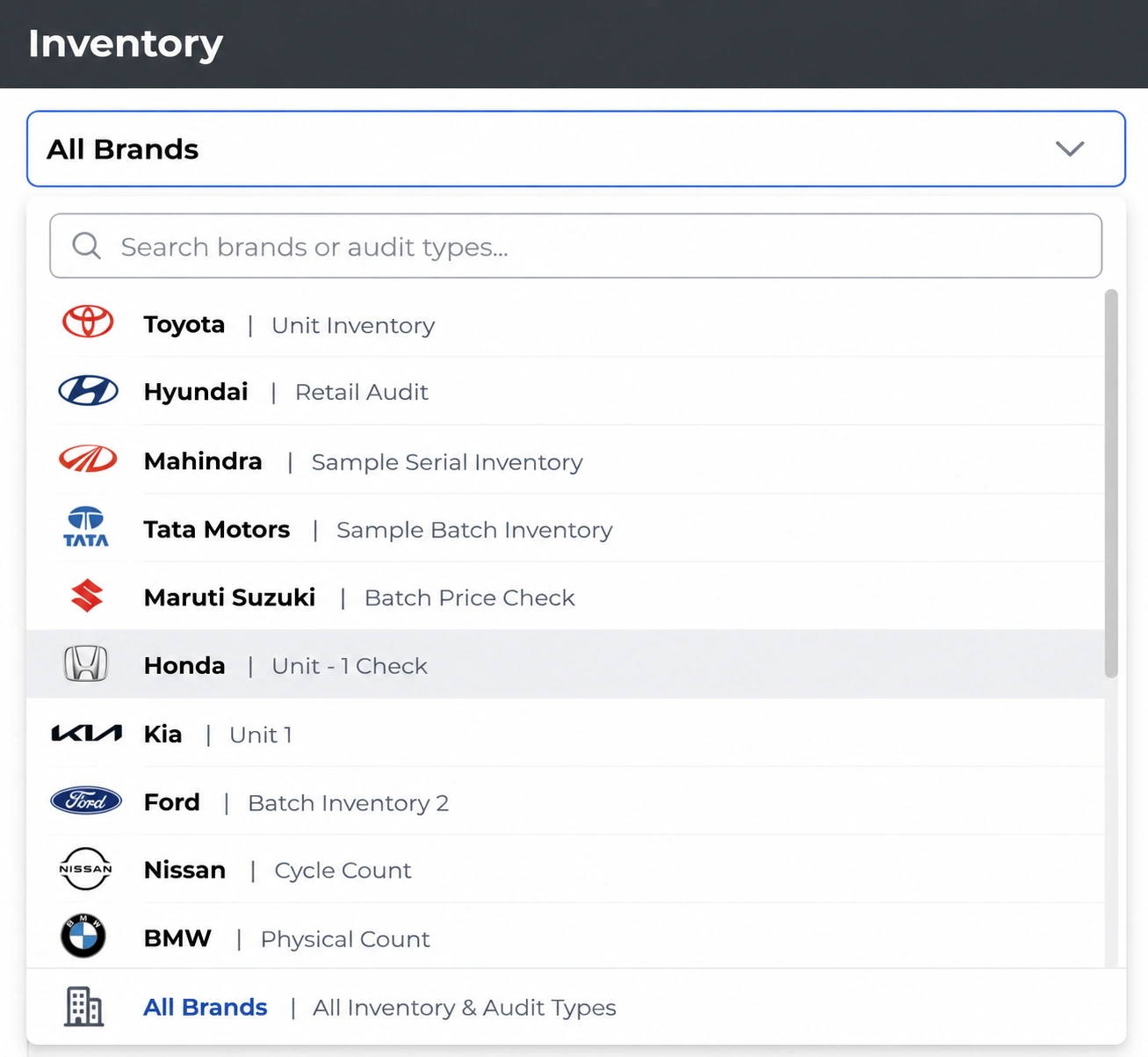
Group items by brand. Count brand by brand. One unified view.
Stockount uses item groups to model every brand you store. Brand A, Brand B, Brand 25 — each gets its own item group with its own stocks, audits and variance reports. The warehouse is shared. The data is segregated.
- Create an item group per brand and add stocks against it
- Counts roll up by brand → by warehouse → by enterprise
- No cross-contamination between client brands — segregation by design
- Runs alongside Tally, Zoho Books, QuickBooks — you don't replace anything
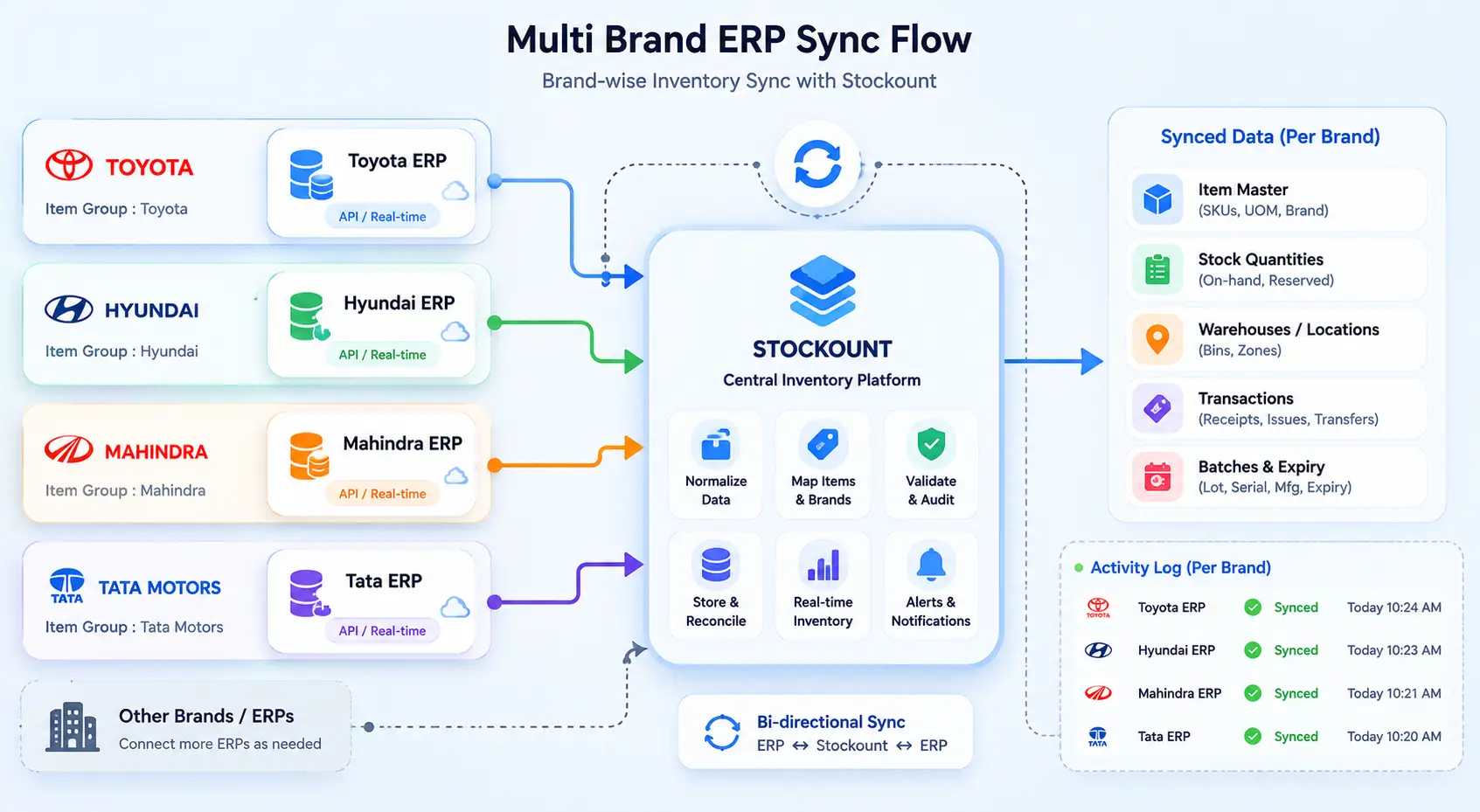
Every brand stays synced with its own ERP. Independently. In real time.
Each brand you store has its own ERP. Stockount syncs to each one independently, at the item-group level. No data leaks across clients. No manual reconciliation between systems.
- Sync each brand's item group with its own purchase / ERP source
- Native integrations for Odoo and Zoho; Custom ERP API for SAP, Dynamics, Tally, NetSuite, QuickBooks
- Multi-ERP sync per brand — your floor, their systems, all in step
- Real-time data — no overnight batch jobs, no weekly CSV exports
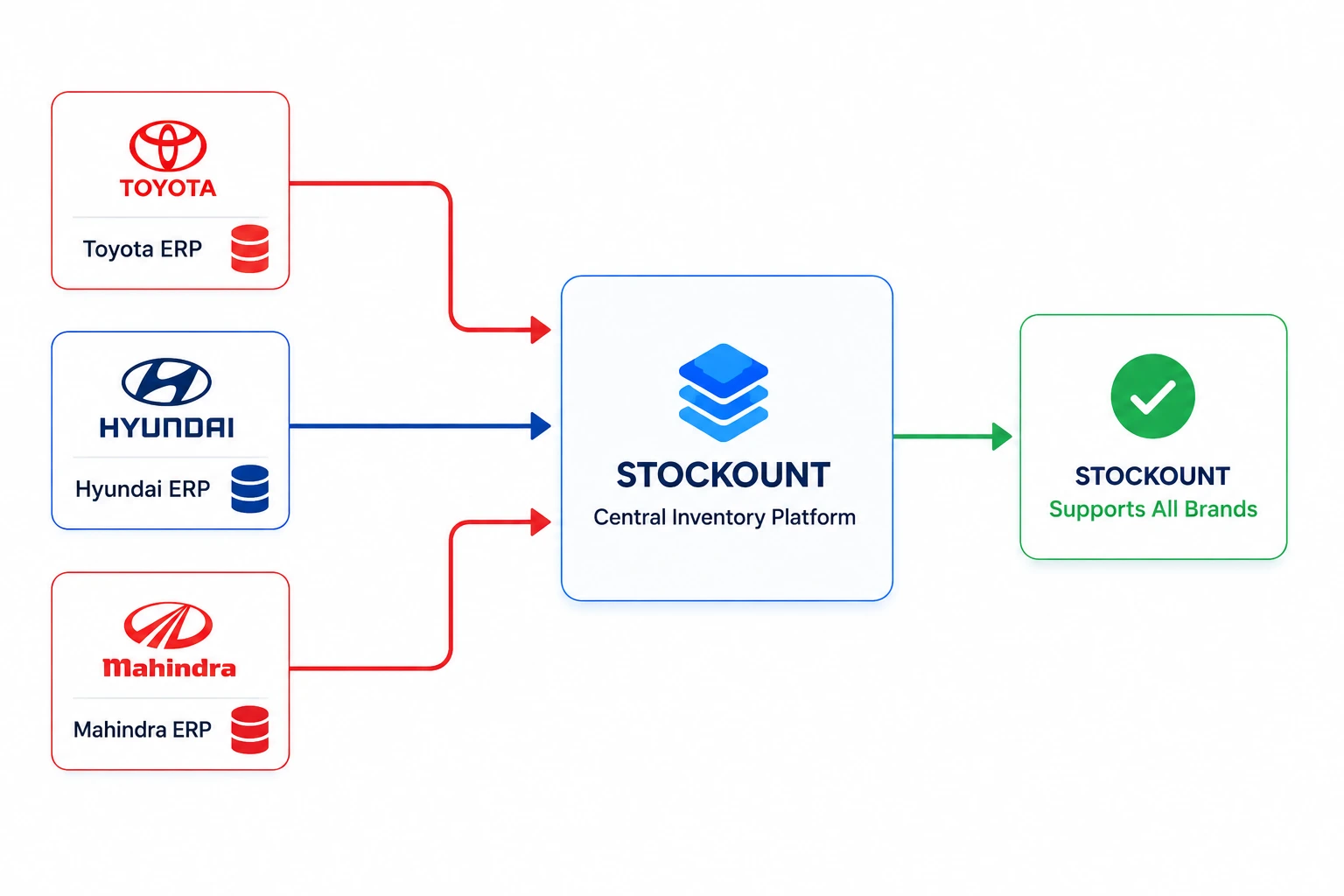
Serial + batch + unit, mixed across brands — one audit workflow.
One floor. Brand A's serial-tracked phones. Brand B's batch-and-expiry pharma. Brand C's unit-counted apparel. Stockount handles all three inventory types natively — the count flow adjusts automatically from the item group.
- Serial, batch & unit inventory types in one mixed audit
- Configurable barcode parsing — batch, serial, expiry, UOM from a single scan
- Multiple associates count simultaneously — no conflict, no double-counting
- Photo cross-checking captures evidence — eliminate "did we count it?" disputes
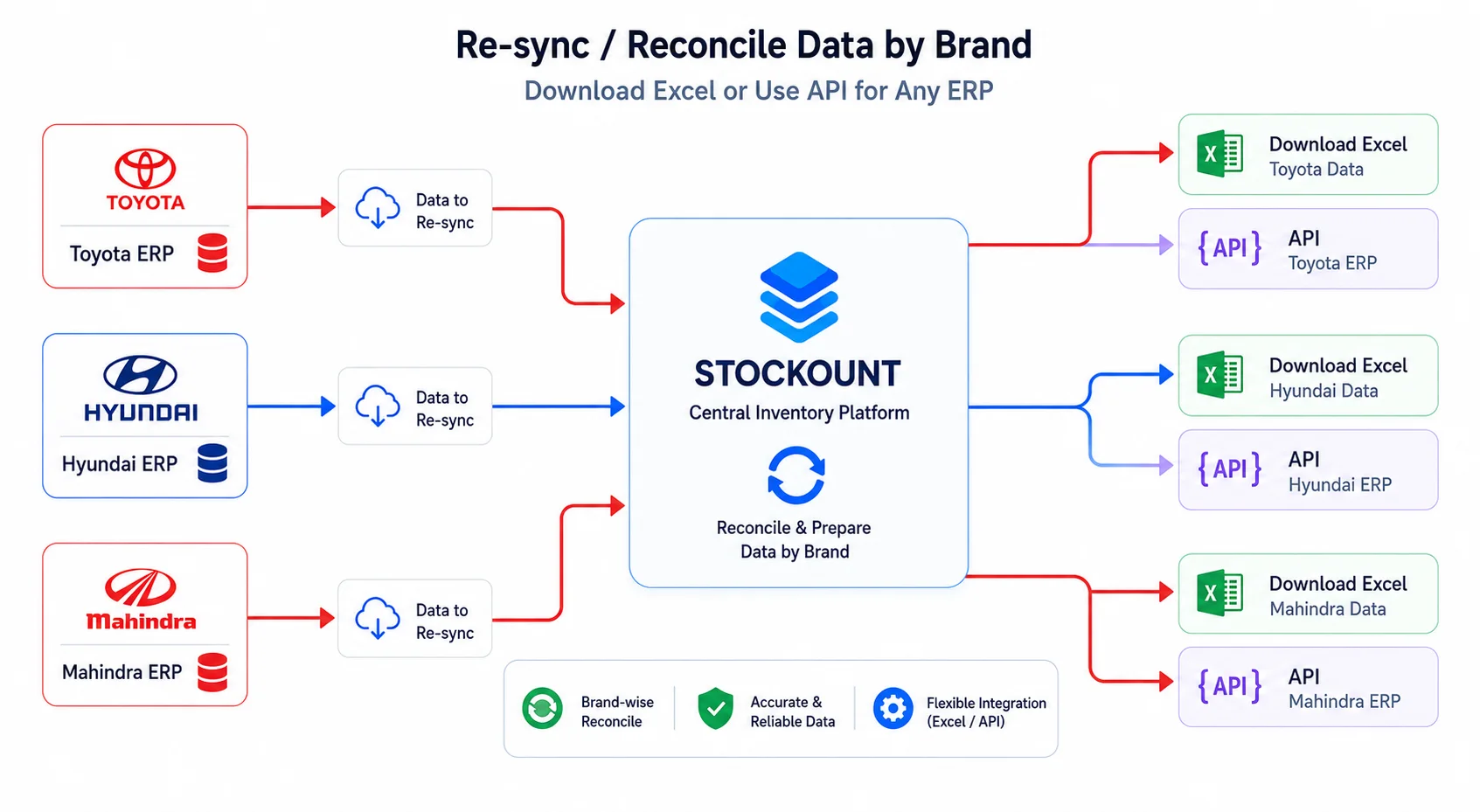
Slice the data any way the client asks. In seconds.
Configure storages by warehouse, floor, aisle, bin. Audit by brand, by storage, or by both. Reports filter and drill down on every dimension. The client gets the answer the moment they ask.
- Audit by brand, by storage, by floor, by bin — or any combination
- Real-time dashboard with multi-axis filters and drill-down
- Cycle & complete reports compare audits over time, per brand, per storage
- Brand-specific reports auto-generated — share with each client without manual rework
How Atlas Distribution Group unified 8 warehouses, 25 brands and 12 ERPs.
We had 8 warehouses, 25 client brands, and 12 different ERPs feeding stock into us. Our team was drowning in Excel files. Stockount became our single counting layer — every brand its own item group, every warehouse its own branch, every ERP its own sync. The midnight rework is gone.
Read the full Atlas Distribution case study →Results that moved the business
Questions warehouse operators ask before switching.
Do we have to replace our existing WMS or accounting software?
No. Stockount is a counting layer designed to sit alongside whatever you run — Tally, Zoho Books, QuickBooks, SAP, Dynamics, Odoo, NetSuite, or a full WMS. Keep your existing system for transactional work and use Stockount for everything count-related.
Can each brand or client be its own item group with its own stocks?
Yes — this is how Stockount handles multi-brand warehouses. Create an item group per brand, then add stocks against each group. Counts, audits and reports roll up by item group, so Brand A's data stays separate from Brand B's.
Can different brands have different inventory types in the same warehouse?
Yes. Stockount supports unit, batch and serial inventory types natively and you can mix them in the same audit. The tracking type is configured per item / per group, not per warehouse.
Can Stockount sync with multiple ERPs at the same time — one per brand?
Yes. Each brand's item group can sync with a different ERP independently — Brand A on SAP, Brand B on Dynamics, Brand C on Tally — each in real time at the item-group level.
Can we audit by warehouse, by brand, by floor, by bin — all in one system?
Yes. Stockount supports multi-level storage hierarchies — branches (warehouses), storages (floors / zones / aisles / bins), and item groups (brands / clients). Audits target any combination, and reports drill down on any dimension.
Ready to unify every brand, every warehouse, every ERP?
Talk to our warehousing team. We'll walk through your current setup — the clients, the ERPs, the floor — and show you exactly how Stockount fits as the counting layer.