Best Multi-Location Inventory Software for Retail Chains: Features, Integrations & Buying Guide
| By Stockount

Imagine managing 15 retail stores, 3 warehouses and 25,000 SKUs. Your ERP says a fast-moving item has 480 units in stock. A physical count in one store finds 410. Another store holds 60 more than the system shows. A third can't find an entire shelf of products that were "received" last month.
Meanwhile, your operations team spends days collecting Excel sheets from store managers, merging them and chasing explanations. By the time the report is ready, stock has already moved.
This is the everyday reality of multi-location retail. The question isn't whether discrepancies exist. It's how quickly you can find them, assign accountability and fix them across every location. That's what the right multi-location inventory software should help you do, and this guide covers what to look for, how ERP integration fits in, and how to compare your options.
Why Retail Chains Struggle with Multi-Location Inventory Management
Every additional store or warehouse multiplies the places where stock records and physical reality can drift apart. The most common causes are:
- Inventory mismatches across stores. Receiving errors, transfers, damages and returns create small gaps that compound over time.
- Manual stock verification. Paper count sheets and spreadsheets invite transcription errors and make it hard to prove who counted what.
- Separate Excel records. Each store keeps its own file, in its own format, with its own version of the truth.
- No centralized visibility. Head office can't see which locations are counted, in progress or overdue.
- Delayed updates. When counts are consolidated by hand, findings arrive days after the count.
- Hard-to-monitor audits. Supervising many simultaneous store audits without a shared view is mostly phone calls and follow-ups.
- ERP versus physical stock. The ERP shows what the books say should be there. Only a physical count shows what is actually there.
What Is Multi-Location Inventory Software?
Multi-location inventory software helps a business track, verify and manage stock across more than one store, warehouse or facility from a single system. The phrase covers several different jobs, and buyers often mix them up:
- Inventory management records and tracks stock movement: purchases, sales, transfers, adjustments. This is usually handled by your ERP, accounting or inventory platform.
- Warehouse management optimizes storage, picking, putaway and dispatch inside a warehouse.
- Physical stock verification is the act of counting what's actually on the shelves and bins.
- Inventory auditing is the structured, accountable process of planning counts, assigning teams, capturing evidence, comparing results with system records and reporting discrepancies. Why ERP users may still need a dedicated audit tool: An ERP is built to record transactions, not to run a field-level counting operation. It generally isn't designed to coordinate dozens of counters across locations, validate counts with photos or locations, or work in a storeroom with no signal. A dedicated audit tool sits beside the ERP and closes the gap between "recorded" and "real."
7 Must-Have Features in Multi-Location Inventory Software
1. Centralized dashboard. Problem: head office has no live view of audit progress. Benefit: one place to see which locations are scheduled, running or complete, and where discrepancies sit.
2. Multi-location audit management. Problem: each store runs counts differently. Benefit: a consistent audit process, with audits created and monitored per location from one console.
3. Mobile barcode scanning. Problem: handwritten counts and manual data entry cause errors. Benefit: staff scan items with a smartphone or scanner, so counts are captured at the source.
4. Offline inventory auditing. Problem: warehouses, basements and stockrooms often have weak connectivity. Benefit: counting continues without a signal, and data is available once the device reconnects.
5. Synchronization between field and office. Problem: results sitting on individual devices or in emailed files. Benefit: count data flows to the central platform so managers review results without waiting for consolidation. Ask any vendor exactly how and when sync happens.
6. Photo validation and geo-tagging. Problem: disputes over whether a count was really done where and how it was reported. Benefit: evidence attached to counts strengthens accountability and makes audits easier to defend.
7. Audit reports and discrepancy identification. Problem: finding variances means manual comparison. Benefit: audit summaries that highlight differences between counted and recorded quantities, so teams investigate the right items first.
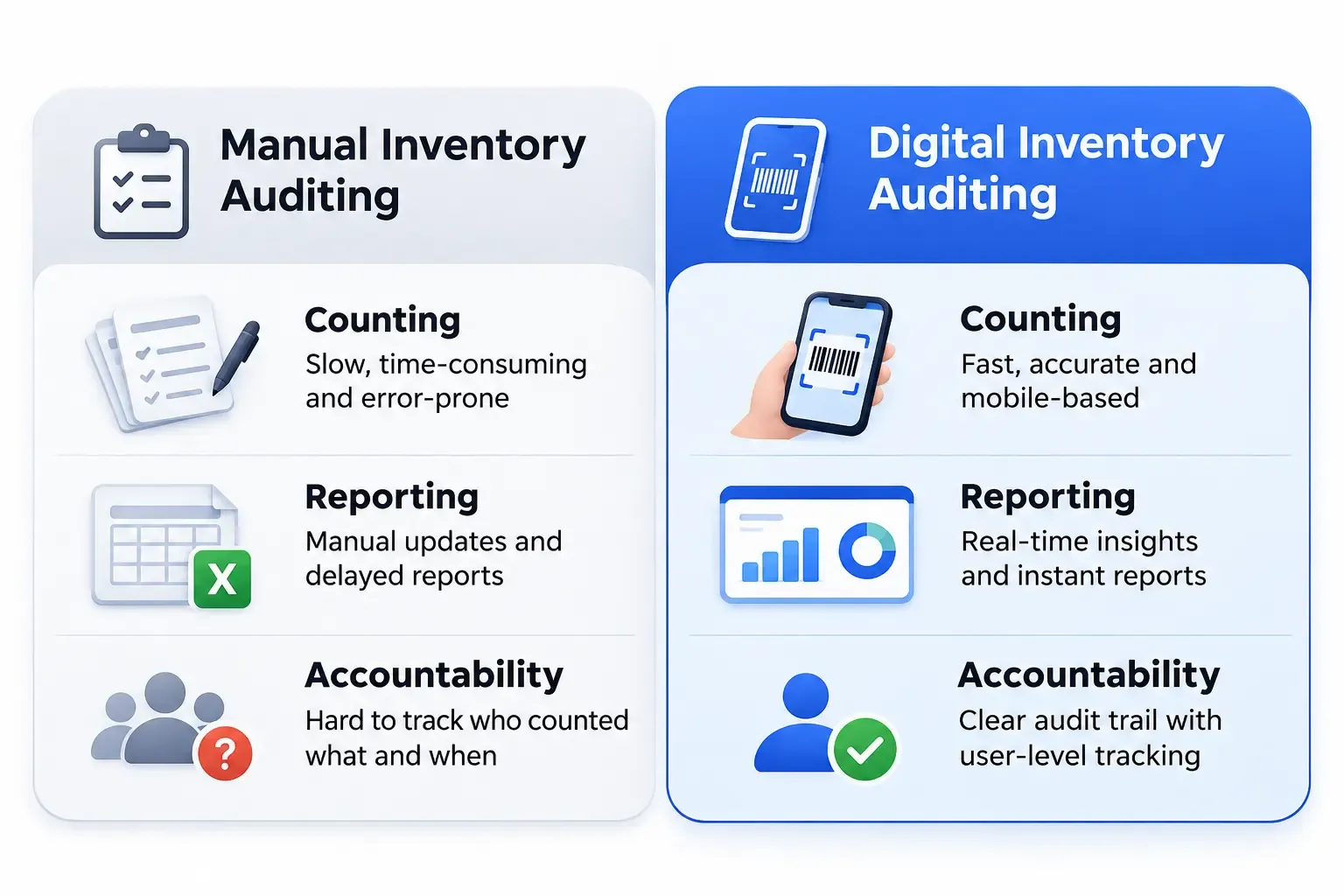
Manual Inventory Auditing vs Digital Inventory Auditing
| Area | Manual (paper/Excel) | Digital audit platform |
|---|---|---|
| Stock counting | Handwritten sheets or typed counts | Barcode scanning on mobile devices |
| Data entry | Re-keyed into spreadsheets, so more chances for transcription errors | Captured at the point of counting |
| Reporting | Compiled by hand after the count | Generated from collected count data |
| Location visibility | Each store reports separately | Locations viewed together in one dashboard |
| Verification accountability | Hard to prove who counted what | Counts tied to users, with optional photo and location evidence |
| Audit monitoring | Phone calls and status emails | Progress visible centrally |
| Operational effort | High coordination and consolidation work | Less manual consolidation; effort shifts to reviewing exceptions |
Results vary by business, so test any claims about time savings against your own pilot count.
Real-World Scenario: Managing Inventory Across 10 Retail Stores
This is an illustrative example, not an actual Stockount customer case study.
Setup: A footwear and accessories retailer runs 10 stores and one central warehouse, with about 18,000 SKUs. Sales and purchases are recorded in an ERP.
Challenges: Every quarter, each store manager counts stock on paper and emails a spreadsheet. Formats differ, a few sheets arrive late, and the head-office team spends days merging them.
ERP reconciliation issues: When the merged counts are compared with ERP quantities, hundreds of lines don't match. Nobody can tell whether the cause is a miscount, a missed transfer or a real loss, because there's no record of who counted which rack, or when.
With centralized digital auditing: Head office creates an audit for each store and assigns counters. Staff scan items on their phones, including in the stockroom where signal is poor. Photos back up questionable counts. Managers watch progress from one dashboard, then review a discrepancy summary and send only the doubtful items for recount. The workflow is more structured, more traceable and easier to supervise. How much faster it is depends on the business.
Why ERP Integration Matters for Multi-Location Inventory Auditing
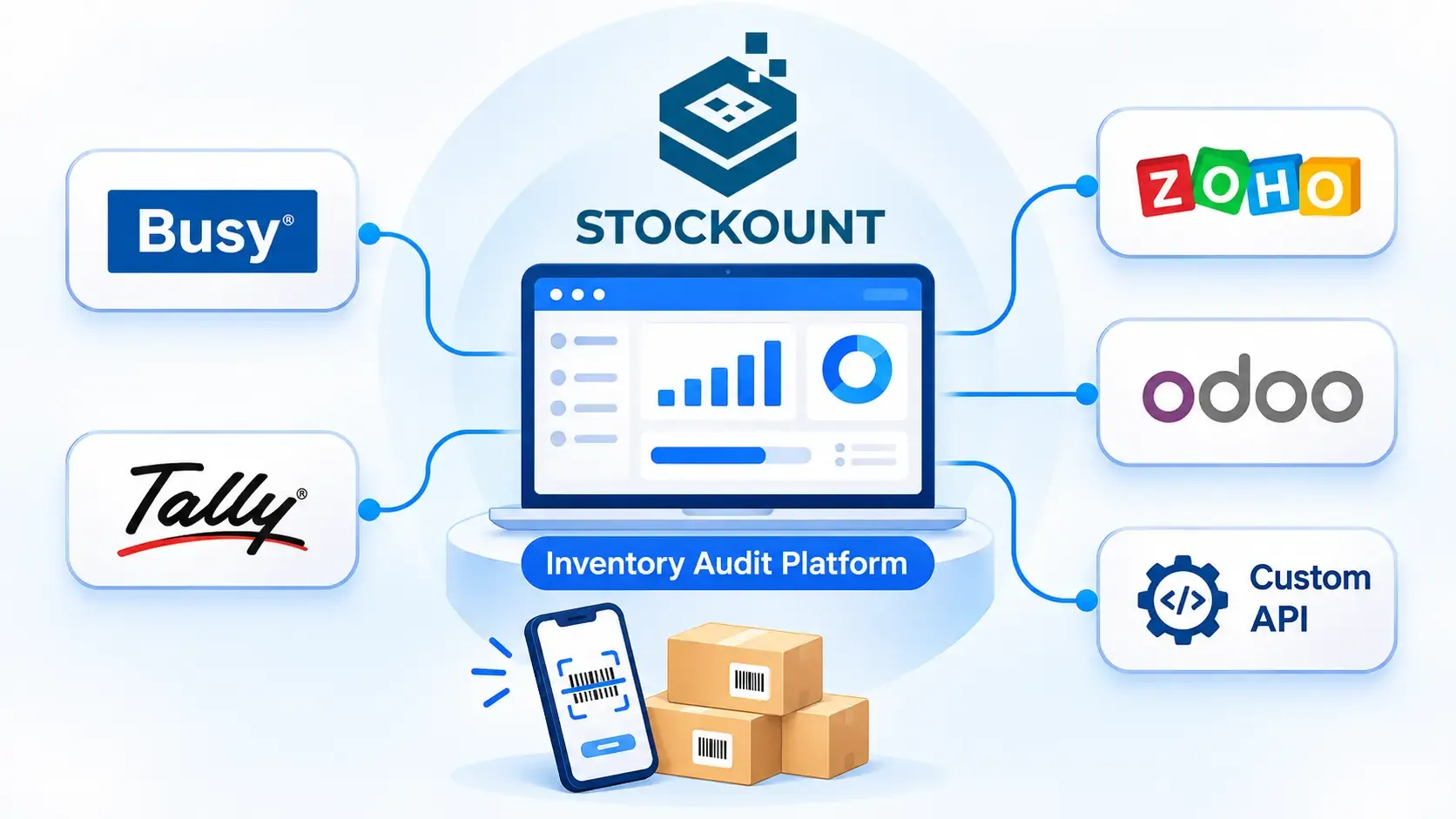
Most growing retail chains and distributors already use ERP or accounting software to run their business. But maintaining ERP inventory records doesn't automatically guarantee that physical stock matches the recorded quantities. Connecting audit workflows with your existing systems can help streamline verification and reconciliation, so teams aren't retyping system quantities into count sheets or comparing exports by hand.
A note on accuracy: Integration depth varies by system and setup, including which data is exchanged and how often. Confirm the exact scope for your ERP and version before you commit.
BUSY Integration
Many Indian distributors and traders run on BUSY. If you're among them, a connected audit workflow lets you compare physical counts with BUSY stock records rather than rebuilding that comparison in a spreadsheet after every count.
Tally Integration
Tally is the accounting backbone for countless retailers and distributors. Because Tally records are only as reliable as the stock they reflect, physical verification against recorded inventory helps finance and inventory teams find and explain variances before closing the books.
Zoho Integration
Businesses on Zoho's applications often track inventory in one place and operations in another. A structured physical audit gives you a trustworthy count to compare against what your Zoho records show, across every location.
Odoo Integration
Odoo's modular design suits growing businesses, and its inventory records still need verification against the shelf. Evaluate how an audit workflow can run alongside your Odoo inventory operations, especially across several warehouses.
Custom API Integration
Some companies run custom ERPs, home-grown inventory platforms or proprietary apps. API-based connectivity is how audit tools typically exchange data with such systems. Requirements differ for every environment, so integration needs can be discussed with the Stockount team.
Already using an ERP system? Explore Stockount's ERP Integration Capabilities →
Best Multi-Location Inventory Software: How to Compare Solutions
Whichever vendors you shortlist, evaluate them against the same criteria:
- Multi-location capabilities. Can you run and monitor audits across stores and warehouses together?
- Barcode scanning. Does it work on the devices your staff already have?
- Offline functionality. Can counters keep working with no connectivity?
- ERP integrations. Is your system supported, and in what way?
- Audit reports. Can you quickly see discrepancies, and export them?
- User access management. Can you control who sees and does what by role and location?
- Scalability. Will it handle more SKUs, users and locations as you grow?
- Pricing. Is it transparent, and does it scale with locations, users or both?
- Support. Is onboarding help available, and in your time zone? Verify each vendor's answers through demos, documentation and a trial rather than feature lists alone. Be cautious about any comparison, including ours, that relies on unverified competitor claims.
How Stockount Helps Retail Chains Simplify Inventory Audits
Stockount is a dedicated, mobile-first inventory audit and stock verification platform. Here's how its capabilities map to retail challenges:
- Desktop-based audit management: plan and monitor audits from head office.
- Mobile inventory auditing: counters work from smartphones instead of paper sheets.
- Barcode scanning: speeds up capture and cuts manual entry.
- Offline audit capability: counting continues in low-signal stockrooms and warehouses.
- Multi-location audit management: run audits across stores and warehouses from one place.
- Photo validation and geo-tagging: attach evidence to counts for accountability.
- Unit-based, serialized and batch-based inventory: handle everything from loose items to serial-tracked products and batch-managed stock.
- Audit summaries and reporting: see where counted quantities differ from recorded ones. What Stockount is not: it isn't a replacement for your ERP, POS or order management system. It focuses on verifying what you physically hold and works alongside the systems that record your transactions. Explore the full Stockount features.
Still Managing Inventory Audits Across Multiple Stores Manually?
Discover how Stockount can help your team simplify physical stock verification, coordinate multi-location audits and monitor inventory discrepancies from one centralized platform.
How to Choose the Right Inventory Software: A Buyer Checklist
- Number of stores: how many locations need audits, now and in two years?
- Warehouses: do they need separate audit workflows?
- SKU volume: 1,000, 25,000 or 100,000+? Test with realistic data.
- Existing ERP: BUSY, Tally, Zoho, Odoo, custom? Confirm support and scope.
- Barcode requirements: do your items already carry barcodes?
- Offline needs: which sites have unreliable connectivity?
- Audit frequency: annual, quarterly or continuous cycle counts?
- Integration requirements: what must flow between systems, and in which direction?
- Users: how many counters, supervisors and approvers, with what permissions?
- Budget and scalability: total cost as locations and users grow.
Frequently Asked Questions
1. What is the best multi-location inventory software for retail chains?
It's the one that fits your stores, SKU volume, ERP and audit process. Shortlist tools against the criteria above and validate with a trial. Stockount suits chains that need structured physical stock verification across locations.
2. Which software supports audits across multiple warehouses?
Look for centralized audit creation, per-location assignment and consolidated reporting. Stockount supports multi-location audit management, including warehouses.
3. Can inventory audit software integrate with Tally?
Stockount lists Tally among its ERP integrations. The exact scope for your setup should be confirmed with the Stockount team. See the ERP integrations page.
4. Does it support BUSY, Zoho and Odoo?
Stockount lists BUSY, Zoho and Odoo among its ERP integrations. Check the integrations page and confirm requirements with the team.
5. Can I verify physical inventory across multiple stores?
Yes. That's what a multi-location audit workflow is for: counts from each store are captured and reviewed centrally.
6. Can employees audit using mobile barcode scanners?
Yes. Stockount supports mobile inventory auditing with barcode scanning.
7. Is offline inventory auditing possible?
Stockount includes offline audit capability, so counting can continue without a signal. Confirm how offline data is synced in your demo.
8. How much does multi-location inventory software cost?
Pricing varies by vendor and usually depends on locations, users or modules. See Stockount's pricing page or ask the team for a quote matched to your setup.
9. How can I book an inventory software demo?
Book a free demo and the team will walk you through the platform using your scenario.
10. Can I try Stockount before purchasing?
Yes, Stockount offers a free trial. Start here..