Best Stock Management Software for Small Businesses in 2026
| By Stockount
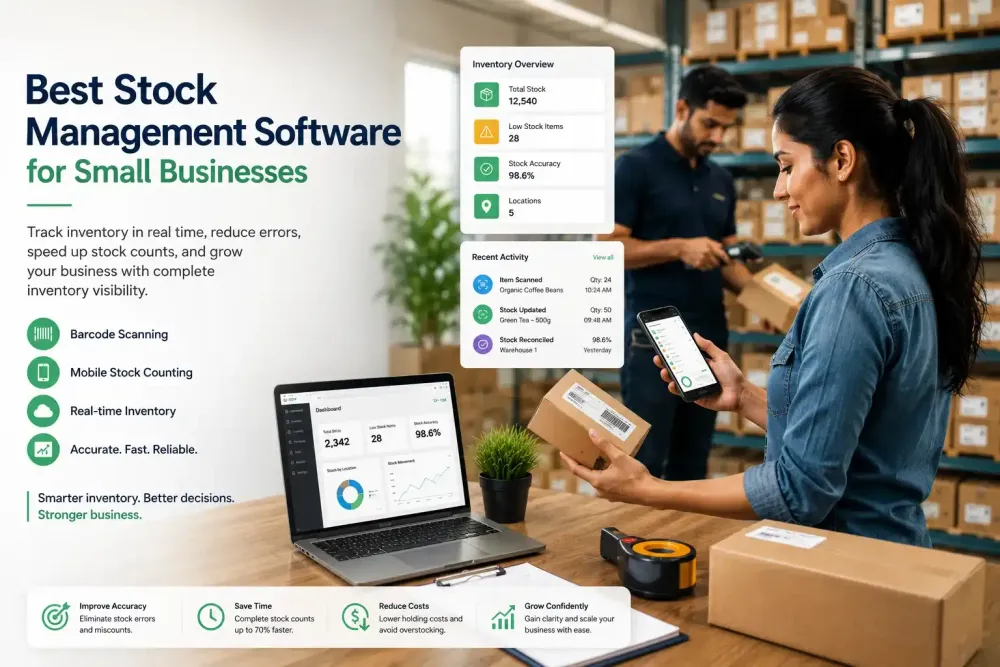
It's 9 p.m. on a Sunday, and instead of relaxing, you're hunched over a spreadsheet trying to figure out why your system says you have 40 units of a product but the shelf only has 12. Sound familiar?
Inventory discrepancies like this aren't just annoying, they're expensive. A stockout means a lost sale and possibly a lost customer. Overstocking ties up cash that could go toward growth. And when your entire inventory process lives in Excel, every count depends on someone remembering to update a cell correctly.
This is exactly why small businesses, retailers, and warehouse teams are moving away from manual tracking and toward dedicated stock management software. These tools don't just record numbers they give you real-time visibility, reduce human error, and make stock counts something your team can finish in hours instead of days.
In this guide, we'll break down what stock management software actually does, the features that matter most before you buy, and how leading platforms, including Stockount, Zoho Inventory, Sortly, inFlow, Cin7, Fishbowl, Odoo, and Finale stack up against each other, whether you need a full-featured system or something simpler to start with.
What Is Stock Management Software?
Stock management software is a digital system that tracks inventory levels, locations, and movement across your business, from the moment stock arrives to the moment it's sold or used.
Instead of manually updating spreadsheets, the software updates quantities automatically as items are scanned, sold, transferred, or returned. Most modern platforms use barcode or QR scanning, mobile apps, and cloud syncing so every team member sees the same live numbers.
For small businesses, this shift matters because spreadsheets don't scale. They're prone to typos, version conflicts, and no audit trail of who changed what. Good inventory management software replaces guesswork with a single source of truth — one that's accurate whether you have one storeroom or ten locations. Many owners start by testing a free plan before paying for anything, which is reasonable, but free tiers usually cap SKUs, users, or locations, so check those limits before building a workflow around one.
Benefits of Using Stock Management Software
Switching from manual methods to dedicated software changes how your whole operation runs, not just how you count boxes.
- Real-time inventory visibility — know exactly what's in stock, anywhere, at any moment.
- Improved stock accuracy — barcode scanning removes manual entry errors.
- Faster stock counts — mobile-based counting turns full-day audits into a few hours.
- Reduced human error — automated updates eliminate duplicate or missed entries.
- Better purchasing decisions — accurate data means you reorder based on facts, not guesses.
- Lower inventory costs — less overstocking and fewer emergency reorders.
- Multi-location management — track stock across warehouses, stores, or vans from one dashboard.
- Better customer satisfaction — fewer stockouts mean fewer disappointed customers. Together, these benefits compound. Businesses that adopt reliable stock control software typically spend less time firefighting inventory issues and more time growing the business.
Features to Look For Before Buying
Not all inventory tools are built the same way, and the right feature set depends on how your business actually operates day to day. Before comparing vendors, it helps to know which capabilities genuinely move the needle.
- Barcode & QR scanning — the foundation of fast, accurate counts.
- Mobile inventory counting — lets warehouse staff count stock from a phone, not a clipboard.
- Offline functionality — critical for warehouses or storerooms with weak Wi-Fi.
- Multi-location inventory — needed if you operate more than one store, van, or warehouse.
- Batch & expiry tracking — essential for food, pharma, or perishable goods.
- Audit trail — shows who changed what and when, useful for accountability and compliance.
- Inventory reconciliation — flags and helps resolve discrepancies between system and physical counts.
- Reporting dashboards — turns raw stock data into decisions.
- User roles & permissions — controls who can edit, count, or approve stock changes.
- Cloud access — lets owners and managers check stock from anywhere.
- Integrations — connects with your POS, accounting, or ecommerce platform.
- Photo verification — adds a visual record during counts and audits, useful for dispute resolution. Before you commit to any platform, evaluate it against your actual operational needs — SKU count, number of locations, and how mobile your team is — rather than choosing based on price alone. The cheapest tool that doesn't fit your workflow will cost you more in wasted time than a slightly pricier one that does.
Best Stock Management Software for Small Businesses
Here's how eight widely used platforms compare on the factors that matter most for small and growing businesses.
| Software | Best For | Barcode Support | Mobile App | Offline Mode | Inventory Audit | Multi-Location | Free Trial |
|---|---|---|---|---|---|---|---|
| Stockount | Mobile-first stock counting & audits | Yes | Yes | Yes | Strong (built for audits) | Yes | Yes |
| Zoho Inventory | Businesses already using Zoho apps | Yes | Yes | Limited | Basic | Yes | Yes |
| Sortly | Simple visual inventory tracking | Yes | Yes | Yes | Basic | Yes | Yes |
| inFlow Inventory | Small manufacturers and wholesalers | Yes | Yes | Limited | Moderate | Yes | Yes |
| Cin7 | Mid-size businesses with complex supply chains | Yes | Yes | Limited | Moderate | Yes | Demo-based |
| Fishbowl | Manufacturing and QuickBooks users | Yes | Limited | No | Moderate | Yes | Demo-based |
| Odoo Inventory | Businesses wanting an all-in-one ERP | Yes | Yes | Limited | Moderate | Yes | Yes |
| Finale Inventory | Ecommerce sellers on multiple channels | Yes | Yes | Limited | Moderate | Yes | Yes |
Each of these platforms has genuine strengths, and the best fit depends on your business model. Zoho and Odoo suit teams already inside those software ecosystems. Fishbowl leans toward manufacturers on QuickBooks. Finale is popular with multi-channel ecommerce sellers. Cin7 targets businesses with more complex supply chains.
Stockount stands out specifically for businesses where physical stock counting and audit accuracy are the core problem, rather than a side feature. Its mobile-first design lets staff scan barcodes and QR codes directly from a phone, even without an internet connection, then sync automatically once back online. Photo validation adds a visual record to every count, which is especially useful for resolving discrepancies or satisfying audit requirements. Reconciliation tools compare system stock against physical counts and highlight variances immediately, and multi-location support means a business with several outlets or warehouses can run and compare audits from one dashboard. Implementation is also built to be fast, so teams can be scanning stock within days rather than weeks.
If your biggest pain point is inaccurate counts, slow audits, or discrepancies you can't explain, it's worth evaluating a platform built around that specific problem rather than a general-purpose inventory tool with counting as an add-on feature.
Ready to improve your inventory accuracy? Book a personalized demo to see how Stockount streamlines stock counting, barcode scanning, inventory audits, and real-time inventory tracking for businesses of all sizes.
How to Choose the Right Stock Management Software
Use this checklist to narrow down your options before booking demos:
- Business size — a five-person retail shop has different needs than a 50-person distributor.
- Number of SKUs — larger catalogs need stronger search, filtering, and categorization.
- Number of warehouses or locations — confirm true multi-location support, not just multiple "bins."
- Barcode requirements — check if you need QR, 1D, or 2D barcode compatibility.
- Mobile workforce — if staff count stock on the floor, mobile and offline support are non-negotiable.
- Integrations — verify compatibility with your POS, accounting, and ecommerce platforms.
- Budget — compare total cost, not just the sticker price, including per-user fees and whether a free tier is a genuine long-term option or just a limited trial.
- Reporting needs — make sure dashboards answer the questions you actually ask.
- Audit frequency — frequent audits justify investing in dedicated inventory counting software rather than a general system.
Matching the tool to your actual operations, not just the feature list, is what determines whether it gets adopted or abandoned after a month.
Frequently Asked Questions
Q1: What is stock management software? It's a digital system that tracks inventory levels, movement, and location in real time, replacing manual spreadsheets and physical logbooks.
Q2: Which software is best for small businesses? It depends on your priority. For accurate mobile stock counting and audits, Stockount is a strong fit. For ecosystem integration, Zoho or Odoo may suit better.
Q3: Can inventory software replace Excel? Yes. Most small businesses fully replace spreadsheets once they adopt dedicated software, since it removes manual entry and version-control issues.
Q4: Is cloud inventory software secure? Reputable providers use encryption, role-based access, and regular backups. Always confirm a vendor's specific security practices before signing up.
Q5: Does barcode scanning improve accuracy? Yes. Scanning removes manual typing errors, which is one of the most common sources of inventory discrepancies.
Q6: What industries benefit most? Retail, warehousing, distribution, manufacturing, and any multi-location business with physical stock benefit significantly.
Q7: Can inventory software work offline? Some platforms, including Stockount, support offline counting with automatic sync once a connection is restored, important for warehouses with poor connectivity.
Q8: How much does stock management software cost? Pricing varies widely by vendor, user count, and features. Most platforms offer tiered plans and free trials, so it's worth testing before committing to an annual plan.
Q9: Is there free inventory management software for small businesses? Several vendors offer a free tier or an extended free trial, usually limited by SKU count, number of users, or locations. These are useful for testing a workflow, but most small businesses outgrow the free tier once they add barcode scanning, multi-location tracking, or audit features at scale.
Q10: What's the simplest stock management app for a small team? For a very small operation, look for something with a clean mobile interface, barcode scanning, and minimal setup, tools like Stockount or Sortly are built to get a small team counting stock within a day, without needing a dedicated admin to configure it.
Final Thoughts
Manual inventory tracking might work when you're small, but it breaks down fast as SKUs, locations, and order volume grow. The right best stock management software gives you real-time visibility, faster and more accurate stock counts, and fewer costly surprises, whether that's a stockout at the worst possible time or cash tied up in overstock nobody needs.
When comparing options, weigh barcode support, mobile and offline functionality, audit capabilities, and how well a platform fits your actual day-to-day operations — not just its price tag.
If accurate, fast stock counts and reliable audits are what you need most, try Stockount's free trial or request a demo to see how mobile-first inventory counting works for your business.