Cycle Count Software ROI: Is Automation Worth the Investment?
| By Stockount
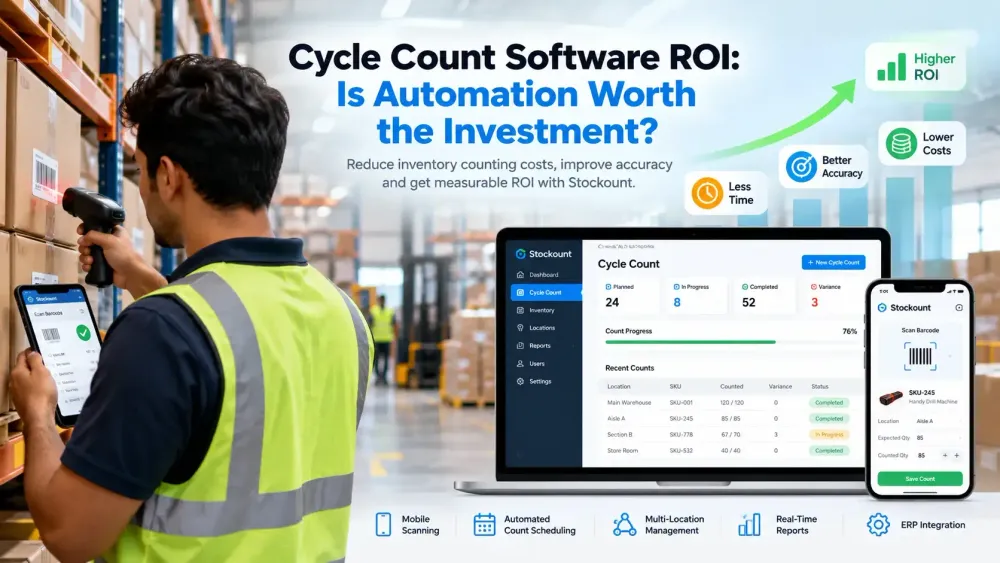
Every cycle count has two costs. The visible one is the hours your team spends walking aisles, counting bins, and typing numbers into a spreadsheet. The hidden one shows up later: a stockout on an item the system said you had, a rush reorder, a write-off nobody can explain, or a supervisor spending Friday afternoon reconciling three versions of the same count sheet.
So when you start looking at software to automate the process, the real question isn't "what does it do?" It's "will it pay for itself?"
That's what cycle count software ROI comes down to. You weigh measurable benefits (labor saved, fewer recounts, better inventory accuracy, less time spent chasing discrepancies) against what the software actually costs to buy, implement, and run. This guide walks through how to do that honestly, with a formula, a worked example, and a checklist you can use with your own numbers.
We'll use Stockount, an inventory counting and accuracy platform, as a reference point where it's useful, but the method applies to any tool you're evaluating.
What Is Cycle Count Software?
Cycle counting means counting a portion of your inventory on a rolling schedule instead of shutting down for one big annual stocktake. You might count high-value items weekly, mid-value items monthly, and slow movers quarterly, so that over time every SKU gets checked without halting operations.
Cycle count software manages that process end to end:
- Count scheduling: generates count tasks automatically based on rules such as ABC class, location, or last-counted date.
- Barcode and mobile scanning: counters scan items with a phone or handheld instead of writing on paper.
- Variance detection: compares counted quantities to system quantities and flags differences immediately.
- Inventory updates: approved counts update stock records, either directly or through your ERP/WMS.
- Reporting and audit trails: every count, adjustment, and approval is logged with who did it and when.
The core difference from manual counting is where the work happens. In a manual process, people schedule counts, record them, transcribe them, compare them, and reconcile them. With software-assisted counting, people still count, but the scheduling, recording, comparison, and logging are handled by the system. Platforms like Stockount focus on that counting and verification layer, sitting alongside the ERP you already use rather than replacing it.
Why Manual Cycle Counting Can Become Expensive
Manual cycle counting isn't inherently inefficient. For a small stockroom with a few hundred SKUs and one experienced person doing the counting, paper sheets or a well-built spreadsheet can work fine.
The problems appear as the operation grows:
- Labor adds up quietly. Counting time is only part of it. Printing sheets, transcribing results, and cross-checking entries often take as long as the count itself.
- Manual data entry introduces errors. A transposed digit or a missed row turns an accurate count into an inaccurate record.
- Recounts multiply. When a variance appears, someone has to go back and count again, and sometimes a third time, to confirm whether the error was in the count or the entry.
- Discrepancies are hard to trace. Without a timestamped record of who counted what, investigating a variance becomes guesswork.
- Administrative overhead grows. Supervisors spend time assigning counts, chasing sheets, and consolidating spreadsheets instead of fixing root causes.
- Multiple warehouses compound everything. Coordinating counts across sites by email and shared files is slow and prone to version conflicts.
- Operations get disrupted. Longer counts mean more time with bins blocked or picking paused. None of these costs appears on a single invoice, which is why they're easy to underestimate and why an ROI calculation is worth doing.
What Does Cycle Count Software Cost?
There's no single price for cycle count software, because cost depends on the size and shape of your operation. The main factors that influence cycle count software cost are:
| Cost factor | Why it matters |
|---|---|
| Number of users | Many tools price per counter or per admin seat. |
| Warehouse locations | Multi-site support may be priced per location or bundled into higher tiers. |
| SKU volume | Larger catalogs can affect plan level or data limits. |
| Inventory complexity | Batches, serial numbers, expiry dates, and units of measure add configuration work. |
| Barcode and mobile capabilities | Using existing smartphones costs less than buying dedicated handheld scanners. |
| ERP/WMS integrations | Standard connectors are usually cheaper than custom integration work. |
| Implementation | Data import, location setup, and workflow configuration. |
| Training | Onboarding counters and supervisors. |
| Support | Response times and support channels can vary by plan. |
| Subscription model | Monthly vs. annual billing, and what's included at each tier. |
When comparing cycle count software pricing, ask vendors for the total first-year cost, not just the subscription line. Implementation, hardware, and integration can change the picture significantly.
Stockount pricing depends on your requirements, so the most accurate approach is to request a quote based on your user count, locations, and integration needs.
How Does Cycle Count Software Generate ROI?
The returns from automated cycle counting software come from a handful of measurable areas. Not every business will see gains in all of them, so treat this as a list of things to measure rather than a list of promises.
1. Labor savings
Automated scheduling, scan-based recording, and system-generated variance reports remove much of the repetitive work around a count: printing, transcribing, and reconciling by hand. The counting still takes people, but the paperwork around it shrinks.
2. Faster inventory counts
Scanning a barcode is quicker and more reliable than finding a row on a sheet and writing a number. Counts also don't need a separate data-entry step afterwards, so results are available as soon as the count is submitted. As one real-world reference, VMC Royal Enfield (Velavan Motorcycles) in Chennai reduced its inventory audit from seven days to two after moving to Stockount. Your results will depend on your own setup.
3. Better inventory accuracy
Most inventory record errors aren't counting mistakes; they're recording and transcription mistakes. Removing manual data entry removes a large source of error, which is why businesses often evaluate these tools as inventory accuracy software rather than just counting tools.
4. Fewer inventory discrepancies
Variance tracking flags differences at the moment they're found, with a record of the location, item, counter, and time. That makes discrepancies easier to investigate and, over time, easier to prevent, because patterns (a particular bin, shift, or SKU group) become visible.
5. Better warehouse productivity
Managers spend less time assigning counts, chasing sheets, and consolidating results. That time can go into resolving root causes of variances, improving slotting, or managing the floor.
6. Scalability
A manual process that works for 500 SKUs in one warehouse may not work for 5,000 SKUs across four locations. Software lets you increase counting frequency, add locations, and grow your catalog without adding administrative headcount at the same rate.
How to Calculate Cycle Count Software ROI
The standard formula is simple:
ROI = (Total Benefits − Total Costs) ÷ Total Costs × 100
The hard part is filling in the inputs honestly.
Potential benefits
- Labor savings: hours saved on counting, recording, and reconciliation × loaded hourly cost.
- Reduced administrative work: supervisor time saved on scheduling and consolidation.
- Lower discrepancy-related costs: reduced write-offs, emergency purchases, and lost sales from stock record errors.
- Productivity gains: time redirected to higher-value work.
- Reduced recounts: fewer repeat counts to confirm variances.
- Improved inventory accuracy: harder to value directly, but it shows up in fewer stockouts and less safety stock.
Costs
- Software subscription
- Implementation and data setup
- Training
- Integration with your ERP or WMS
- Hardware, if you need scanners rather than using existing phones
- Ongoing support, if priced separately
Wherever possible, use your own historical data: timesheets, past count records, write-off reports, and reconciliation logs. Industry averages won't tell you what your operation will save. Your own numbers will.
It's also worth calculating the payback period: total first-year cost divided by monthly benefit. This tells you how many months it takes for the savings to cover the investment.
Example ROI Calculation
This example is illustrative only. Actual ROI will vary based on warehouse size, labor costs, inventory complexity, software pricing, and implementation requirements.
The figures below are fictional. They are not Stockount customer results, Stockount pricing, or industry benchmarks.
Imagine a distribution warehouse where four staff each spend about 40 hours a month on cycle counting and related data entry, and a supervisor spends 20 hours a month on recounts and reconciliation.
Current annual costs (hypothetical):
| Item | Calculation | Annual cost |
|---|---|---|
| Counting and data entry | 160 hrs/month × ₹200/hr × 12 | ₹3,84,000 |
| Supervisor reconciliation | 20 hrs/month × ₹300/hr × 12 | ₹72,000 |
| Discrepancy-related losses | Write-offs, rush orders | ₹1,50,000 |
Assumed improvements after automation (hypothetical):
| Benefit | Assumption | Annual benefit |
|---|---|---|
| Counting labor | 30% less time | ₹1,15,200 |
| Reconciliation time | 30% less time | ₹21,600 |
| Discrepancy losses | 20% reduction | ₹30,000 |
| Total benefits | ₹1,66,800 |
First-year costs (hypothetical):
| Cost | Amount |
|---|---|
| Stockount subscription | ₹8,800 |
| Implementation and training | ₹0 |
| Hardware | ₹0 |
| Total costs | ₹8,800 |
ROI = (₹1,66,800 − ₹8,800) ÷ ₹8,800 × 100 ≈ 1,795%
Payback period = ₹8,800 ÷ (₹1,66,800 ÷ 12) ≈ 0.63 months (≈19 days)
Change any assumption and the result changes. If labor savings were 20% instead of 30%, ROI would be lower. That's the point of the exercise: test your own assumptions, and use conservative figures if you're unsure.
Want to see how automated cycle counting could work for your operation? Book a Stockount demo to walk through the counting workflow and features, and get a clearer picture of the efficiency gains your inventory team could realistically expect.
Manual Cycle Counting vs. Automated Cycle Counting
| Factor | Manual process | Automated software |
|---|---|---|
| Count scheduling | Planned by a supervisor in a calendar or spreadsheet | Generated by rules (ABC class, location, frequency) |
| Data entry | Written on sheets, then typed into a system | Captured at the point of count via scan |
| Barcode scanning | Not typically used | Phone or handheld scanning |
| Variance tracking | Found during reconciliation, often days later | Flagged when the count is submitted |
| Reporting | Compiled manually from spreadsheets | Generated from count data |
| Audit trail | Depends on paper records and file versions | Logged by user, time, and location |
| Scalability | Workload grows with SKUs and sites | Handles more SKUs and sites with less added admin |
| Manager visibility | Limited until counts are consolidated | Count progress visible as it happens |
Manual processes can be perfectly adequate at small scale. The gap widens as volume, frequency, and locations increase.
When Is Cycle Count Software Worth the Investment?
Automation is worth evaluating seriously if several of these apply to you:
- High SKU volume: too many items to count reliably by hand at the frequency you need.
- Frequent inventory discrepancies: recurring variances that are hard to explain or trace.
- Multiple warehouse locations: counts coordinated across sites by email and shared files.
- Frequent cycle counts: weekly or daily counting on fast-moving or high-value items.
- Large counting teams: more people means more coordination and more room for recording errors.
- Heavy spreadsheet usage: multiple sheets, manual consolidation, and version conflicts.
- Growing operations: your current process is already strained and volumes are rising.
- Need for better visibility: leadership or auditors want reliable, timestamped count records.
- An ERP or WMS with a weak counting workflow: your system holds stock data but doesn't make counting easy.
On the other hand, manual counting may still be adequate if you run a small inventory with a modest SKU count, count infrequently, have low variance rates, and one or two people handle the process well. In that case, the software cost may outweigh the savings, at least for now.
Features to Look for in Cycle Count Software
When evaluating warehouse inventory counting software, focus on the features that affect your ROI inputs directly:
- Barcode scanning: the single biggest driver of speed and accuracy.
- Mobile counting: lets counters use smartphones instead of dedicated hardware, which lowers cost.
- Automated count scheduling: removes planning overhead and keeps counts consistent.
- ABC analysis: prioritizes high-value or fast-moving items for more frequent counts.
- Variance management: flags, routes, and tracks discrepancies to resolution.
- Real-time inventory updates: reduces the lag between count and corrected record.
- Approval workflows: lets supervisors review adjustments before they post.
- Reporting and analytics: shows variance trends, count progress, and accuracy over time.
- User permissions: controls who can count, approve, and adjust.
- Audit trails: supports internal controls and external audits.
- ERP/WMS integrations: avoids double entry between counting and your system of record.
- Multi-location support: runs counts across warehouses or stores from one place.
Integration deserves extra attention, because it often determines implementation cost. Stockount integrates with ERPs including Tally, Odoo, Zoho, SAP, Busy, Microsoft Dynamics 365, and QuickBooks, so it's worth confirming early whether your system is covered and how data flows between the two.
How to Evaluate the ROI of Stockount
Use this checklist to build your own business case before making a decision:
- Calculate your current annual labor cost for cycle counting, including counting, data entry, and reconciliation time.
- Measure the frequency and cost of inventory discrepancies: write-offs, rush orders, and lost sales linked to stock record errors.
- Estimate time spent on recounts and reconciliation, especially supervisor time.
- Map your current spreadsheet and manual processes to see which steps software would replace.
- Define integration and implementation requirements: your ERP, locations, SKU structure, and hardware.
- Compare expected benefits against actual Stockount pricing for your configuration.
- Calculate your estimated payback period using conservative assumptions.
- Validate your assumptions in a demo or trial by running real counts on a sample of your inventory.
Step 8 matters most. A trial on your own stock, with your own team, gives you real inputs to replace estimates.
Ready to Explore Automated Cycle Counting?
You've seen how to calculate cycle count software ROI. The next step is testing it against your own operation. A free trial lets your team run real counts, see how scanning and variance tracking fit your workflow, and gather the numbers you need for a confident decision.
Prefer to try it at your own pace? Unlock Your Free Trial and see whether Stockount fits the way your inventory team works.
Frequently Asked Questions
What is cycle count software?
Cycle count software schedules, records, and reconciles rolling inventory counts. Instead of paper sheets and spreadsheets, counters scan items on mobile devices, and the system compares results against expected stock, flags variances, and logs every step.
How does cycle count software improve inventory accuracy?
It removes manual data entry, which is a major source of stock record errors, and flags variances as soon as a count is submitted. Regular, rule-based counting also catches problems earlier than an annual stocktake.
How much does cycle count software cost?
Cost depends on users, locations, SKU volume, integrations, hardware, and implementation needs. Ask vendors for a total first-year cost, including setup and training, rather than comparing subscription prices alone.
Is cycle count software worth the investment?
It often is for businesses with high SKU counts, frequent discrepancies, multiple locations, or heavy spreadsheet use. Small operations with simple inventories may not see enough savings to justify the cost. Run the ROI formula with your own data to find out.
How do you calculate cycle count software ROI?
Use ROI = (Total Benefits − Total Costs) ÷ Total Costs × 100. Benefits include labor savings, reduced recounts, and lower discrepancy costs. Costs include subscription, implementation, training, integration, and hardware.
What features should I look for in cycle count software?
Prioritize barcode and mobile scanning, automated scheduling, ABC analysis, variance management, approval workflows, audit trails, reporting, ERP/WMS integration, and multi-location support.
Can cycle count software integrate with an ERP or WMS?
Most dedicated tools offer integrations with common ERPs, though coverage varies by vendor. Confirm that your specific system is supported and how counts sync back before you commit.
Is cycle count software suitable for small businesses?
It can be, particularly for small businesses with many SKUs, frequent counts, or recurring stock errors. If your inventory is small and simple, a manual process may be sufficient for now.
How does automated cycle counting differ from manual counting?
Manual counting relies on people to schedule, record, transcribe, and reconcile counts. Automated counting uses software to schedule counts, capture results via scanning, detect variances, and keep an audit trail, while people focus on the physical count.
Does Stockount offer a free trial?
Yes. Stockount offers a free trial so teams can test the counting workflow on their own inventory before committing. Check the sign-up page for current trial terms.