How Inventory Control Software Improves Inventory Accuracy
| By Stockount
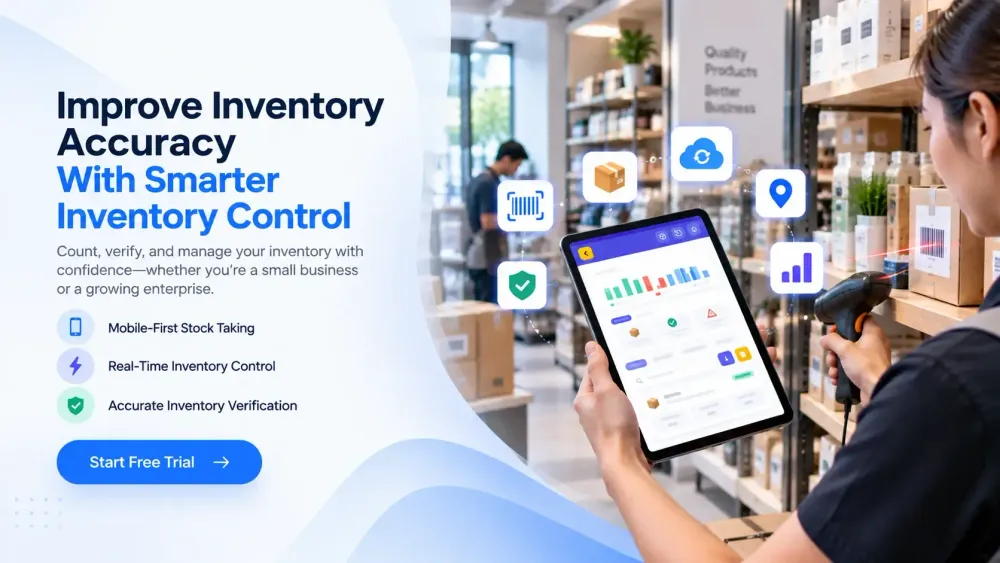
Ask any warehouse or operations manager what keeps them up at night, and inventory discrepancies are usually near the top of the list. A system says 400 units are on the shelf, but a physical count turns up 360. An order gets confirmed for a product that's actually out of stock. A purchasing decision gets made off a number that was wrong three weeks ago.
These gaps between physical inventory and system inventory aren't just annoying, they ripple outward. They delay order fulfillment, distort stock availability, throw off purchasing decisions, slow down warehouse productivity, and eventually show up where it hurts most: customer satisfaction and revenue.
The good news is that inventory accuracy isn't a matter of hiring more careful staff or running counts more often out of sheer discipline. It's largely a process problem, and inventory control software is designed to solve exactly that, by building a more reliable, repeatable, and traceable inventory control process around the way your team already works.
This article walks through what inventory accuracy actually means, what causes it to break down, and how inventory control software, including where a platform like Stockount fits in, helps businesses close the gap between what their systems say and what's actually on the shelf.
What Is Inventory Accuracy?
Inventory accuracy is the degree to which your recorded inventory, the numbers in your system, match your actual physical inventory on hand.
To understand it, it helps to separate three related terms:
- Physical inventory — the actual stock sitting in your warehouse, store, or storage location right now.
- System inventory — the quantity your inventory management software, ERP, or spreadsheet says you have.
- Inventory discrepancies — the difference between the two, whether it's a shortage, an overage, or stock recorded in the wrong location. A simple example: your system shows 500 units of a fast-moving SKU. A cycle count finds only 470 on the shelf. That 30-unit gap is a discrepancy, and until it's investigated, no one knows if it's due to a miscount, theft, damage, an unrecorded return, or a data entry mistake made weeks earlier. Multiply that uncertainty across thousands of SKUs and multiple warehouses, and it's easy to see how inventory accuracy becomes a core operational issue rather than a minor bookkeeping one.
Why Is Inventory Accuracy Important?
Accurate inventory records aren't just about tidy numbers, they directly affect how a business operates day to day. High inventory accuracy typically translates into:
- Fewer stock discrepancies to investigate and correct
- Better purchasing decisions, since buyers are ordering against real stock levels
- Reduced stockouts, because sales and fulfillment teams aren't selling stock that isn't there
- Reduced overstock, since purchasing isn't compensating for numbers it doesn't trust
- Better warehouse productivity, with less time spent hunting for missing stock or re-counting
- Improved order fulfillment, with fewer cancellations and backorders
- A better customer experience, driven by reliable delivery promises
- More reliable business reporting, since financial and operational reports are only as good as the inventory data feeding them When inventory accuracy is low, these effects compound. A single wrong number can trigger a bad purchasing decision, which triggers a stockout, which triggers a missed sale, all traceable back to a discrepancy that was never caught.
Common Causes of Inventory Inaccuracy
Before choosing a solution, it's worth understanding where inaccuracy usually comes from. In most operations, it's not one big failure, it's a combination of small, recurring process gaps:
- Manual data entry — typos, transposed digits, and missed updates
- Spreadsheet-based inventory tracking — no real-time updates, no audit trail, easy to overwrite
- Incorrect stock counts — rushed or infrequent physical counts
- Barcode scanning errors — scanning the wrong SKU or skipping items
- Unrecorded stock movements — transfers between locations that never get logged
- Duplicate entries — the same receipt or adjustment entered more than once
- Damaged or missing inventory — stock that's written off inconsistently or not at all
- Incorrect receiving — goods received but logged against the wrong SKU or quantity
- Incorrect picking and dispatching — orders fulfilled from the wrong location or batch
- Lack of regular cycle counts — discrepancies going unnoticed for months
- Poor warehouse processes — no defined locations, no standard counting procedure Individually, each of these seems minor. Together, over months, they erode trust in the numbers — which is usually the point at which a business starts looking seriously at inventory control software.
How Inventory Control Software Improves Inventory Accuracy
Inventory control software addresses these causes directly by standardizing how stock is counted, recorded, and verified. Here's how the core capabilities work together.
1. Barcode Scanning
Barcode scanning removes the guesswork — and the typing — from stock counts. Instead of manually writing down quantities or keying them into a spreadsheet, staff scan each item, and the system logs the SKU and quantity automatically. This single change eliminates a large share of the data entry errors that come from manual counting, and it speeds up counts significantly, since scanning is faster and less error-prone than reading and transcribing labels by hand.
2. Real-Time Inventory Updates
When a count, sale, transfer, or receipt happens, real-time synchronization pushes that change to the system immediately, rather than at the end of a shift or a batch upload later. This matters because stale data is one of the most common causes of "the system says we have it, but we don't." Teams working across departments — sales, warehouse, purchasing — are all looking at the same, current number.
3. Cycle Counting
Rather than shutting down operations for a full physical inventory count once or twice a year, cycle counting spreads counts across the year, checking a subset of SKUs or locations on a rolling schedule. This surfaces discrepancies much sooner, while they're still easy to investigate, and it avoids the productivity hit of a full stock freeze.
4. Inventory Audits
Structured inventory audits go a step further than routine counts — they're used to formally verify stock accuracy, often for compliance, financial reporting, or after a specific incident (like a suspected shrinkage issue). Inventory control software gives these audits a consistent, repeatable workflow: defined scope, assigned counters, a record of what was found, and a clear resolution trail for any discrepancy.
5. Photo Validation
For high-value items, damaged goods, or disputed counts, photo validation lets staff attach visual evidence directly to a count or audit record. This adds a layer of proof that's especially useful when reconciling discrepancies with suppliers, insurers, or internal stakeholders — it's harder to dispute a photographed count than a typed one.
6. Offline Inventory Counting
Warehouses, back rooms, and remote storage facilities don't always have reliable connectivity. Offline inventory counting lets staff continue scanning and recording counts without an active connection, syncing everything automatically once the device reconnects. This keeps counting workflows uninterrupted, rather than forcing teams to fall back on paper when signal drops.
7. Multi-Location Inventory Control
For businesses running more than one warehouse, store, or distribution point, keeping a consistent view of stock across locations is one of the hardest parts of inventory accuracy. Multi-location inventory control centralizes counts and stock levels from every site into a single system, so a manager can see accurate, location-specific numbers without stitching together separate spreadsheets or reports.
8. Batch and Serialized Inventory Tracking
For products that need traceability — by batch, lot, or individual serial number — inventory control software can track stock at that level of detail. This matters for quality control, recalls, warranty tracking, and industries with regulatory requirements, where knowing which units are affected is as important as knowing how many.
9. Inventory Reports and Analytics
Dashboards and reports turn raw count and audit data into something a manager can act on: discrepancy trends by location, count completion rates, SKUs with recurring accuracy issues, and audit history over time. Instead of discovering an accuracy problem months later during a financial reconciliation, managers can spot patterns as they emerge.
How to Improve Inventory Accuracy Using a Software-Based Process
Software alone doesn't fix inventory accuracy — it needs a defined process behind it. A practical, software-supported approach looks like this:
- Create an inventory control plan — decide which locations, SKUs, and categories need the closest attention.
- Define counting frequencies — high-value or fast-moving items may need weekly counts; slower items can be counted less often.
- Organize inventory locations — clear, labeled bins and zones make counts faster and reduce misplacement.
- Scan inventory using barcodes — standardize counting on scanning rather than manual entry wherever possible.
- Perform regular cycle counts — spread counts across the schedule instead of relying on one annual count.
- Record discrepancies — log every mismatch as it's found, not after the fact.
- Investigate discrepancies — trace the root cause: miscount, unrecorded movement, damage, or process gap.
- Update inventory records — correct the system once the discrepancy is confirmed, not before.
- Review inventory reports — look for recurring issues by SKU, location, or shift.
- Continuously improve the process — adjust counting frequency, staff training, or workflows based on what the data shows.
Manual Inventory Control vs Inventory Control Software
| Factor | Manual Process | Inventory Control Software |
|---|---|---|
| Data entry | Manual | Automated/scanned |
| Inventory updates | Delayed | Real-time |
| Cycle counting | Difficult to manage | Structured |
| Audit tracking | Manual | Digital |
| Multi-location visibility | Limited | Centralized |
| Reporting | Time-consuming | Automated |
| Error detection | Slower | Faster |
| Scalability | Limited | More scalable |
This isn't to say manual processes never work, smaller operations with a handful of SKUs can sometimes manage with spreadsheets. But as SKU count, order volume, or location count grows, the manual approach tends to break down faster than the business does.
See it on your own inventory. If discrepancies like these sound familiar, a quick walkthrough is often the fastest way to see how inventory control software fits your specific warehouse setup. Book a free Stockount demo and see barcode scanning, cycle counting, and multi-location tracking in action.
Key Features to Look for in Inventory Control Software
Not every business needs every feature, but these are the capabilities worth evaluating before choosing an inventory control system:
- Barcode scanning for fast, accurate counts
- Mobile access, so counts happen on the warehouse floor, not at a desk
- Offline mode for locations with unreliable connectivity
- Real-time synchronization across users and locations
- Cycle counting tools for ongoing, rolling counts
- Inventory audits with structured, repeatable workflows
- Photo validation for disputed or high-value items
- Geo-tagging to confirm where a count actually took place
- Multi-location management for businesses with more than one site
- Unit tracking, Batch tracking and serial number tracking for traceability
- Inventory reports and analytics for spotting trends
- ERP integrations, so inventory data flows into existing accounting and operations systems
- User permissions, so counting and approval roles stay separate
- Audit history, so every change and count is traceable after the fact
How Stockount Helps Improve Inventory Accuracy
Stockount is built specifically around the inventory accuracy problem described above, helping teams move from manual, spreadsheet-driven counts to a structured, mobile-first process.
In practice, Stockount supports mobile-first inventory control, stock taking, and inventory audits for businesses of all sizes, from small businesses and retail stores to growing companies and large enterprises with multiple locations. Teams can perform inventory counting and verification directly from the shop floor, warehouse, or any stock location using barcode scanning, reducing manual data entry and helping identify stock discrepancies.
With offline inventory counting, teams can continue their inventory control processes even when a stable internet connection is unavailable. Once the device reconnects, captured data automatically syncs with the system. Photo validation and geo-tagging add an extra layer of inventory verification for disputed, sensitive, or high-value stock. Real-time synchronization keeps inventory records consistent across locations, helping businesses improve inventory accuracy, stock visibility, and overall inventory control as they grow.
For businesses managing more than one site, Stockount's multi-location inventory management brings counts and stock levels into a single view, with support for unit-level, batch, and serialized inventory where traceability matters. Cycle counting and structured inventory audit workflows help teams catch discrepancies early rather than discovering them at year-end. Audit summaries and dashboards turn count data into something operations and finance teams can actually act on, and integrations with ERPs such as Tally, Zoho, Odoo, SAP, Busy, Microsoft Dynamics 365, and QuickBooks keep inventory data connected to the rest of the business.
None of this guarantees perfect accuracy, no software can promise that, but it gives teams the structure and visibility needed to steadily close the gap between physical and system inventory.
How to Measure Inventory Accuracy
Tracking a few core KPIs makes it possible to see whether accuracy is actually improving:
- Inventory accuracy percentage
- Inventory discrepancy rate
- Cycle count accuracy
- Stockout rate
- Overstock rate
- Inventory adjustment frequency
- Count completion rate
- Audit completion rate The core formula for inventory accuracy is:
Inventory Accuracy % = (Accurate Inventory Records ÷ Total Inventory Records) × 100
For example, if a cycle count checks 200 SKUs and 186 of them match the system record exactly, the calculation is:
186 ÷ 200 × 100 = 93% inventory accuracy
Tracking this number over time by SKU category, by location, or by warehouse team makes it possible to see whether process changes, like introducing barcode scanning or more frequent cycle counts, are actually moving the needle.
Conclusion
Inventory accuracy isn't achieved through a single fix, it's the result of a consistent process: organized locations, regular cycle counts, barcode scanning instead of manual entry, structured audits, and reporting that surfaces problems early. Inventory control software doesn't replace that discipline; it gives it structure, so counts, audits, and corrections happen the same way every time, across every location.
For businesses ready to move away from spreadsheets and manual counts, that structure is often the difference between chasing discrepancies after the fact and catching them before they affect a customer.
Improve inventory accuracy with Stockount. Start your free trial and simplify inventory audits, cycle counts, and stock tracking.
Frequently Asked Questions
What is inventory accuracy? Inventory accuracy is how closely your system's recorded stock levels match the actual physical stock on hand, expressed as a percentage.
How does inventory control software improve inventory accuracy? It reduces manual data entry through barcode scanning, updates stock levels in real time, and structures cycle counts and audits so discrepancies are caught and corrected faster.
What causes inventory discrepancies? Common causes include manual data entry errors, unrecorded stock movements, incorrect receiving or picking, damaged or missing stock, and infrequent physical counts.
What is the difference between inventory control and inventory management? Inventory control focuses on accurately tracking and counting stock you already have; inventory management is the broader discipline that also covers purchasing, demand forecasting, and stock replenishment.
How does cycle counting improve inventory accuracy? Cycle counting checks smaller batches of inventory on a rolling schedule instead of one large annual count, so discrepancies are found and corrected while they're still easy to trace.
Is inventory control software suitable for multiple warehouses? Yes. Multi-location inventory control software centralizes stock data across warehouses, stores, or distribution points into a single, consistent view.
What features should I look for in inventory control software? Look for barcode scanning, mobile and offline access, real-time synchronization, cycle counting, audit workflows, multi-location support, and reporting and analytics.
Can barcode scanning improve inventory accuracy? Yes. Barcode scanning reduces the manual data entry errors that come from handwritten or typed counts, and it speeds up the counting process.
How often should businesses perform inventory counts? It depends on SKU value and turnover — high-value or fast-moving items are often counted weekly or monthly through cycle counts, while slower-moving stock may be counted quarterly or annually.