The Complete Guide to Choosing a Mobile Inventory Count App
| By Stockount
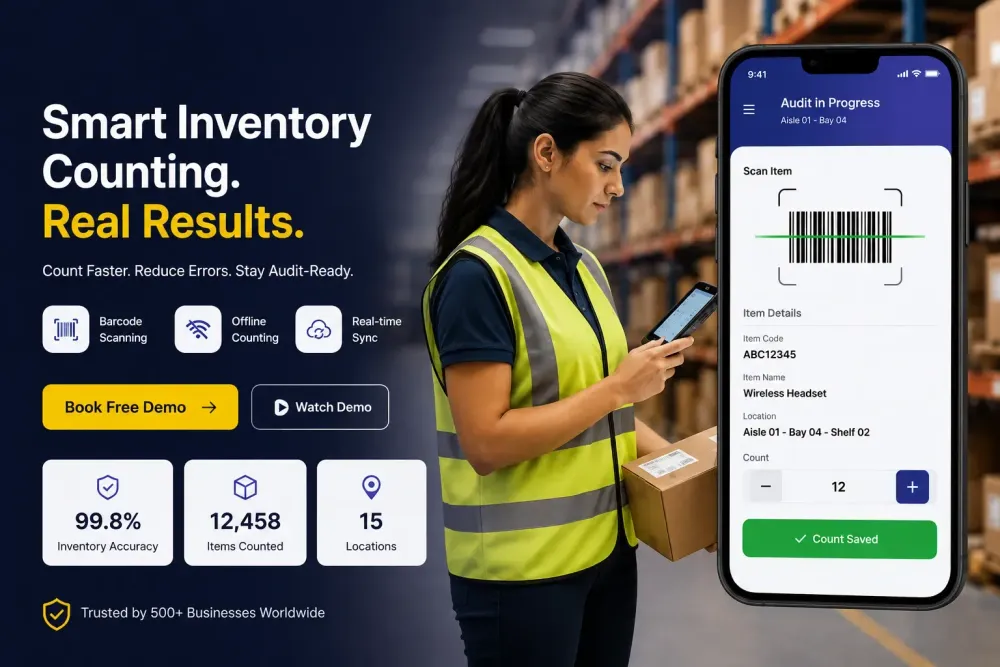
Every year, businesses write off inventory they can't account for. Retailers alone lose billions annually to shrinkage, and a large share of that loss traces back to something preventable: inaccurate stock counts. Teams still counting shelves with clipboards or reconciling numbers in spreadsheets are, in effect, guessing and guesses cost money at year-end audits, during stockouts, and every time a customer order can't be fulfilled.
A mobile inventory count app solves this by turning a smartphone or tablet into a barcode scanner, data recorder, and reconciliation tool in one. Instead of writing quantities on paper and re-entering them later, staff scan items directly, and the app flags discrepancies as counting happens not weeks later when it's too late to investigate.
This guide covers what these apps actually do, the problems they solve, the features worth prioritizing, and how to evaluate one for your business.
AI Overview Summary:
A mobile inventory count app replaces manual, paper-based stock counting with a smartphone or tablet-based workflow. Staff scan barcodes or QR codes to log quantities, and the app calculates variances against expected stock levels automatically. Most modern apps work offline in low-signal warehouses, then sync data once reconnected, and support multiple users counting simultaneously across different locations. Key capabilities to evaluate include barcode scanning, offline mode, real-time synchronization, multi-location support, photo verification for damaged or misplaced stock, role-based permissions, full audit history, and integration with ERP or accounting systems like Tally, Zoho, or QuickBooks. Businesses adopt these apps to cut counting time, reduce human error, prevent shrinkage, and stay audit-ready. Platforms such as Stockount focus specifically on fast, accurate, mobile-first inventory counting for retail, warehouse, and manufacturing teams.
What Is a Mobile Inventory Count App?
A mobile inventory count app is software installed on a smartphone or tablet that lets teams perform physical inventory counts by scanning barcodes instead of manually writing down quantities. The app records each scan, compares it against expected stock levels in the system, and highlights variances.
For example, a warehouse team preparing for a quarterly stock audit can hand out a few Android phones running the app, split the floor into zones, and have each person scan every SKU in their zone. The app aggregates results in real time, so a supervisor sees the full count — and any mismatches — before the shift ends, rather than after a week of manual data entry.
Businesses rely on this approach because it removes the two biggest sources of error in traditional counting: illegible handwriting or mistyped SKUs, and the lag between counting and reconciling.
Why a Mobile Inventory Count App Matters
The impact goes beyond convenience:
- Inventory accuracy. Barcode scanning removes transcription errors that creep into manual counts, so recorded stock levels match physical reality more closely.
- Operational efficiency. Counts that took days on paper often take hours with a mobile app, freeing staff for other work.
- Customer satisfaction. Accurate stock data means fewer promises the business can't keep — no selling items that are actually out of stock.
- Financial reporting. Auditors and finance teams need reliable inventory valuations; a documented, timestamped count trail supports that.
- Loss prevention. Frequent, accurate counts surface shrinkage and misplacement patterns early, before they become large write-offs.
- Compliance. Industries with regulatory reporting requirements need auditable, reproducible counting processes — something a spreadsheet rarely provides.
Common Challenges Businesses Face Without One
Most businesses don't move to a dedicated app on day one. They start with manual counting and hit the same wall eventually:
- Manual counting is slow. Physically counting and writing down thousands of SKUs across a warehouse or store takes far longer than scanning them.
- Spreadsheet errors compound. A single mistyped quantity or misaligned row can throw off an entire location's numbers.
- Duplicate counts happen. Without a system tracking what's already been counted, the same shelf sometimes gets counted twice — or missed entirely.
- Stock discrepancies go unexplained. When counts don't match the system, there's often no record of who counted what, or when, making root-cause analysis guesswork.
- Inventory shrinkage stays hidden longer. Infrequent counts mean theft, damage, or misplacement can go unnoticed for months.
- Warehouse complexity multiplies the problem. Multiple zones, bins, and SKUs make manual tracking exponentially harder as a business scales.
- Disconnected systems create blind spots. When counting tools don't talk to the ERP or accounting system, someone has to manually reconcile two sets of numbers — introducing yet another opportunity for error.
See Stockount in Action
Make Inventory Counting Effortless
From barcode scanning to real-time reconciliation, Stockount gives your team everything needed to count inventory accurately.
Key Features to Look for in a Mobile Inventory Count App
Not all apps are built the same. When evaluating options, prioritize:
| Feature | Why It Matters |
|---|---|
| Mobile app | Counting should happen where the stock is, not at a desk afterward. |
| Barcode scanning | Eliminates manual data entry and the errors that come with it. |
| Offline mode | Warehouses and basements often have poor signal — counting shouldn't stop. |
| Real-time sync | Once reconnected, data should update instantly for anyone monitoring progress. |
| Multi-location support | Businesses with several stores or warehouses need consolidated visibility. |
| Photo verification | Useful for documenting damaged, mislabeled, or unexpected stock during a count. |
| Role-based permissions | Ensures counters can only see and edit what's relevant to their task. |
| Audit history | A timestamped log of who counted what — critical for investigating discrepancies. |
| Reporting | Clear variance reports save hours compared to manually cross-checking numbers. |
| ERP integration | Counts should flow into existing systems like Tally, Zoho, SAP, or QuickBooks — not sit in a silo. |
Benefits of Using a Mobile Inventory Count App
- Reduces the time spent on physical counts from days to hours
- Cuts data entry errors caused by manual transcription
- Surfaces discrepancies immediately, while they're still easy to investigate
- Supports multiple counters working simultaneously across zones or locations
- Keeps counting running even in low-connectivity warehouse environments
- Provides an auditable record for compliance and financial reporting
- Reduces reliance on paper processes and duplicate spreadsheet work
- Scales more easily as SKU count or store count grows
How to Choose the Right Solution
Selecting a mobile inventory count app comes down to a few practical questions:
- Does it work offline? If your warehouse has dead zones, this isn't optional.
- How fast is barcode recognition? Slow scanning defeats the purpose of switching from paper.
- Can it handle your scale? Test it against your actual SKU count and location count, not a demo dataset.
- Does it integrate with your existing ERP or accounting software? A tool that creates a second, disconnected system adds work rather than removing it.
- How is data secured and permissioned? Role-based access matters once more than one or two people are counting.
- What does onboarding actually look like? A short setup and training period matters more than a long feature list nobody uses.
- Is support responsive? During a live audit is the worst time to be waiting on a support ticket. Avoid choosing based on feature checklists alone — request a trial with your own data and a real team, not just a sales demo with sample inventory.
Why Modern Businesses Choose Stockount
Stockount is built specifically around mobile-first inventory counting for warehouses, retail stores, and manufacturing operations. Teams use it to run physical counts and audits with barcode scanning directly from a phone, without needing dedicated scanning hardware — the Stockount app is available on Google Play and installs in minutes on existing Android devices.
It's designed to keep working when connectivity isn't guaranteed — counts continue offline and sync once a connection is available, which matters for basements, cold storage, and rural warehouse sites. Multiple team members can count different zones at once, with results reconciled centrally rather than merged manually afterward.
For businesses already running Tally, Zoho, SAP, Odoo, QuickBooks, or Dynamics 365, Stockount is built to integrate rather than replace those systems. Implementation is designed to be quick, and the platform scales from a single store to multi-location operations without requiring a different tool at each stage.
Ready to Improve Inventory Accuracy?
Stop wasting time on manual stock counts.
Use Stockount to perform faster inventory counts, reduce discrepancies, improve accuracy, and stay audit-ready across every warehouse and store.
Frequently Asked Questions
Q1: What is the best mobile inventory count app? The best option depends on your warehouse size, connectivity, and existing software. Look for reliable offline barcode scanning, real-time sync, multi-location support, and ERP integration. Platforms like Stockount are built around these exact requirements, but it's worth testing with your own SKU data during a trial rather than relying on feature lists alone, real-world performance varies by use case.
Q2: How does an inventory count app work? Staff use a smartphone or tablet to scan barcodes on stock items. The app records each scan, compares quantities against expected stock levels, and flags discrepancies. Results sync to a central dashboard, giving managers a real-time view of count progress and variance across zones or locations.
Q3: Can barcode scanning improve inventory accuracy? Yes. Barcode scanning removes the manual transcription errors common in handwritten or spreadsheet-based counts. Each scan pulls exact item data automatically, reducing mismatched SKUs, miscounted quantities, and duplicate entries that typically occur when counts are recorded by hand.
Q4: What is the difference between inventory count and inventory audit? An inventory count is the physical process of counting stock on hand. An inventory audit is broader — it includes counting, but also verifies that recorded counts match financial records, investigates discrepancies, and documents the process for compliance or reporting purposes.
Q5: Can inventory count apps work offline? Most modern mobile inventory count apps, including Stockount, support offline counting. Staff can continue scanning and recording stock in areas with poor or no signal, such as basements or remote warehouses. Once connectivity returns, the app automatically syncs all recorded data.
Q6: How long does inventory counting take with a mobile app? It varies by SKU count and team size, but businesses typically report counts that took days manually being completed in hours with a mobile app. Barcode scanning and multi-user support are the biggest time drivers, since teams can count in parallel rather than sequentially.
Q7: How do I choose the right inventory count system? Prioritize offline capability, scanning speed, ERP integration, and multi-location support. Run a trial with your actual inventory data and team rather than a vendor's demo dataset, and confirm support responsiveness — you'll need it most during your first live count. Stockount offers a free trial so you can evaluate exactly this before committing.