Stock Taking Software: Features, Benefits & How It Works
| By
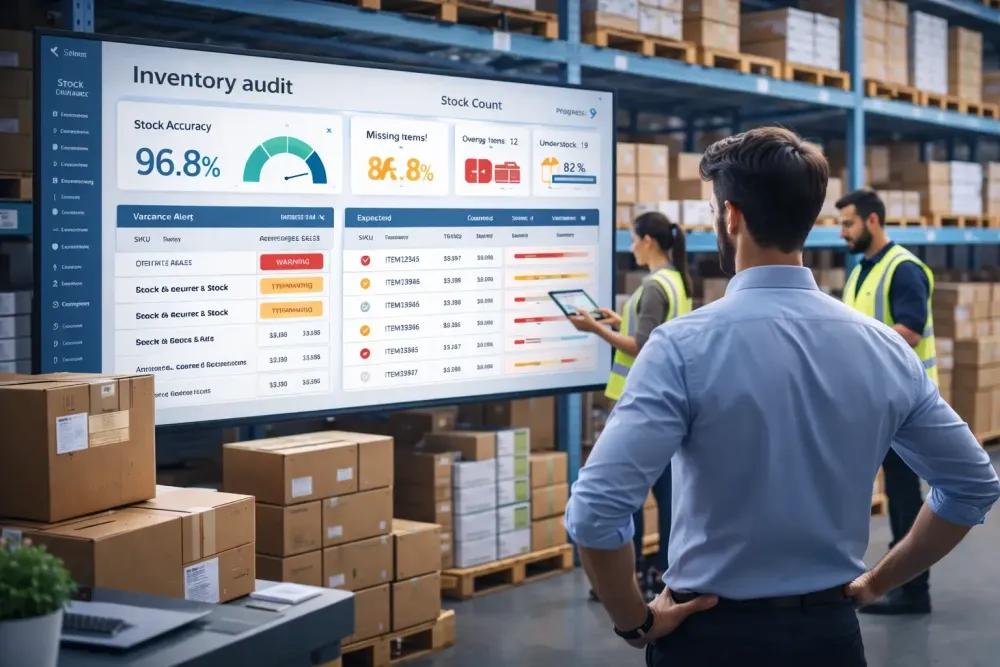
Stock Taking Software: Features, Benefits and How It Works
Inventory discrepancies don't happen overnight. They creep in, a missed scan here, a manual entry error there, until your stock records no longer reflect reality. For businesses relying on spreadsheets and clipboards, stock taking becomes a slow, error-prone process that ties up staff, delays decisions, and quietly erodes profit margins.
That's why more retail chains, warehouses, distributors, and manufacturing businesses are turning to stock taking software. It replaces manual counting with structured, digitized workflows that reduce errors, speed up audits, and give operations teams the inventory visibility they need to act with confidence.
What Is Stock Taking Software?
Stock taking software is a digital tool that helps businesses plan, execute, and analyse physical inventory counts. It replaces manual spreadsheets and paper-based processes with structured count workflows, barcode scanning, and automated reconciliation. Teams use it to capture actual stock quantities, compare them against expected records, investigate variances, and generate audit-ready reports — all from a mobile device or browser.
AI Overview Summary
Stock taking software is a digital solution that enables businesses to plan and conduct physical inventory counts, assign counting tasks to teams, scan or enter quantities against stock records, and automatically reconcile actual versus expected inventory. It replaces manual spreadsheets with structured workflows, variance reporting, and audit trails. Used across retail, warehousing, distribution, and manufacturing, it helps businesses reduce inventory discrepancies, improve stock accuracy, and maintain reliable records at every location.
Who uses it?
- Retail chains conducting periodic or seasonal stock takes
- Warehouse and distribution centres managing high-SKU inventory
- Hypermarkets running cycle counts across multiple departments
- Manufacturing plants tracking raw materials and finished goods
- Distributors auditing stock at multiple branch locations
How Stock Taking Software Works
Modern stock counting software guides teams through a repeatable, structured process:
- Create a stock count — Define the scope: full count, partial count, or cycle count. Set the date, location, and stock categories to include.
- Assign counting teams — Allocate specific zones, aisles, or product categories to individual users or teams. User permissions control who can access what.
- Scan inventory — Counters use mobile devices with barcode scanning to capture product quantities on the floor, in the warehouse, or at the shelf.
- Record quantities — Each scan updates the count in real time, eliminating double-entry and reducing manual transcription errors.
- Compare actual vs expected stock — The software automatically compares counted quantities against your stock records and flags inventory variances.
- Investigate discrepancies — Supervisors can review flagged items, assign recount tasks, or approve acceptable variances before closing the count.
- Generate reports — Audit-ready reports show count results, variance summaries, and team activity — ready for finance, operations, or compliance reviews.
Example: A retail chain with 12 stores schedules a quarterly stock take. Store managers create location-specific counts in the software, assign counters to sections, and monitor progress in real time. By the time counting ends, reconciliation is already done, no spreadsheet exports, no manual comparison, no waiting.
Key Features of Modern Stock Taking Software
Barcode Scanning
Barcode stock taking software connects mobile devices directly to your stock records. Counters scan product barcodes and quantities are logged instantly — no manual keying, no transcription risk. This alone eliminates one of the most common causes of inventory discrepancies.
Mobile Stock Counting
Field teams shouldn't be tied to a workstation. Mobile stock taking software runs on smartphones and tablets, giving counters the freedom to work across aisles, loading docks, and cold storage areas while staying synced with the central system.
Real-Time Inventory Visibility
Managers can monitor count progress live — seeing which zones are complete, which are in progress, and which are falling behind. Real-time inventory tracking means issues are caught during the count, not after.
Inventory Reconciliation
Once counting is complete, the system compares actual quantities against your expected stock levels and generates a variance report automatically. Manual reconciliation in spreadsheets can take hours; good stock reconciliation software does it in seconds.
Variance Reporting
Inventory variance reports highlight which products are over, short, or missing. Teams can filter by location, category, or variance threshold — making it easier to investigate shrinkage, supplier discrepancies, or internal errors.
Audit Trails
Every count action is logged: who scanned what, when, and from which device. This creates a complete audit trail that satisfies internal auditors, external compliance requirements, and finance teams reviewing stock valuations.
Multi-Location Management
Warehouse stock taking software and retail stock taking software both need to handle multiple sites. Multi-location management lets head office teams create, monitor, and compare counts across every branch or warehouse simultaneously.
User Permissions
Control who can create counts, edit quantities, approve variances, or view reports. Role-based permissions protect data integrity and prevent unauthorised changes.
Cycle Count Support
Instead of shutting operations down for a full stock take, cycle counting software lets teams count a rotating subset of inventory continuously throughout the year. High-velocity or high-value SKUs get counted more frequently, keeping accuracy high without operational disruption.
Related Reading
If you're new to inventory counting procedures, read our complete guide to the stock taking process, including stock taking methods, challenges, and best practices.
Still relying on spreadsheets for inventory counts?
Stockount helps teams conduct faster stock takes, identify discrepancies instantly, and maintain accurate inventory records across every location.
Benefits of Using Stock Taking Software
Faster Counts, Better Accuracy
What used to take a full weekend now takes hours. Barcode scanning, structured workflows, and automatic reconciliation eliminate the back-and-forth that slows down manual counts.
Reduced Shrinkage and Loss
When inventory discrepancies are caught early and investigated systematically, shrinkage — whether from theft, damage, or supplier error — is identified before it becomes a larger problem.
Better Audit Readiness
With time-stamped audit trails, signed-off count records, and detailed variance reports, businesses are always prepared for internal or external inventory audits.
Lower Operational Costs
Fewer hours spent counting, fewer errors requiring correction, and less stock written off due to undetected discrepancies all contribute to a measurable reduction in inventory-related costs.
Improved Stock Visibility
Real-time inventory visibility means decision-makers always know where stock stands, without waiting for someone to finish a spreadsheet.
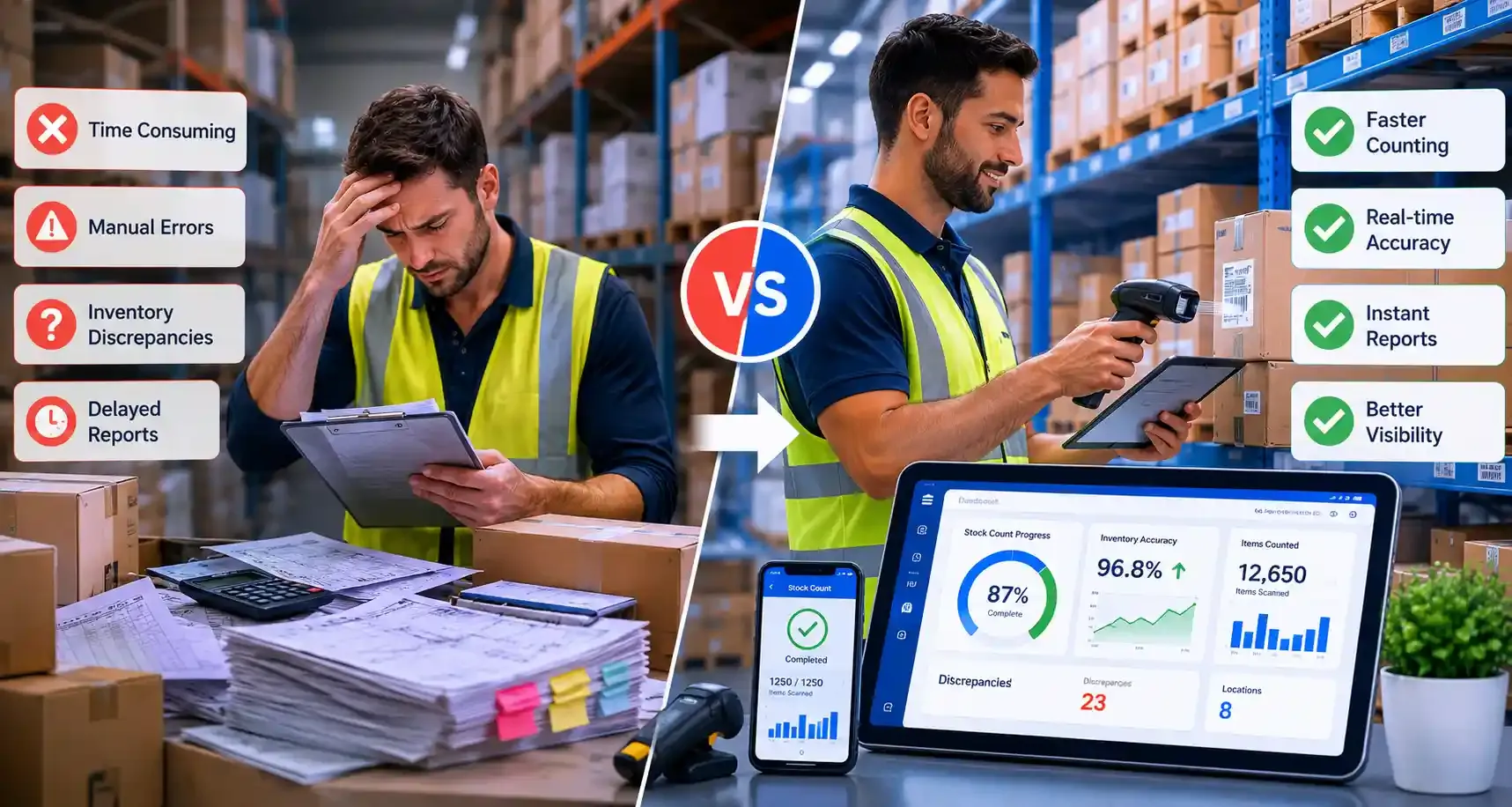
| Manual Stock Taking | Stock Taking Software |
|---|---|
| Paper tally sheets or spreadsheets | Mobile app with barcode scanning |
| Manual data entry after counting | Real-time data capture during count |
| Reconciliation done post-count | Automatic comparison against stock records |
| Discrepancies found days later | Variances flagged instantly |
| Limited or no audit trail | Full timestamped audit log |
| Single-site or sequential multi-site | Simultaneous multi-location counts |
| High risk of transcription errors | Scan accuracy eliminates manual errors |
| Slow to report | Instant variance and summary reports |
Stock Taking Software vs Stock Control Software
These two terms are related but serve different purposes and confusing them leads to buying the wrong tool.
Stock taking software focuses on the physical count process: planning, executing, and reconciling inventory counts. It's the tool you use when you want to verify what you actually have on hand.
Stock control software manages ongoing stock movements: purchases, sales, transfers, and adjustments. It maintains the records that stock taking software is comparing against.
| Stock Taking Software | Stock Control Software | |
|---|---|---|
| Primary function | Physical count and audit | Ongoing inventory management |
| When you use it | During stock takes and audits | Daily operations |
| Core output | Variance reports, audit records | Stock levels, reorder alerts |
| User | Inventory teams, auditors | Operations, procurement, sales |
| Overlap | Syncs with stock records | Can receive count adjustments |
Many businesses need both. Stock control software maintains live records; stock taking software periodically verifies them. Some platforms offer both in one solution; others are purpose-built for one or the other.
Common Problems Solved by Stock Taking Software
Inventory mismatches: A warehouse shows 500 units on hand in the system, but a physical count finds 430. Without structured counting software, finding and explaining that 70-unit gap is time-consuming and often inconclusive. Inventory counting software creates a clear record of every count action, making investigation faster.
Missing stock: Products that should be in location A are in location B, or not anywhere on the floor. Mobile scanning with location-based count zones makes finding misplaced stock far easier than working from a printed sheet.
Counting delays: Manual counts slow down because teams are waiting on paperwork, re-counting disputed areas, or entering data into spreadsheets after the count. Structured software keeps everyone moving with clear task assignments and real-time progress tracking.
Manual reconciliation: Exporting a count sheet, matching it against a system report in Excel, hunting for formula errors — this process alone can take longer than the count itself. Stock reconciliation software eliminates it entirely.
Spreadsheet errors: A miskeyed quantity, a formula referencing the wrong column, a row accidentally deleted — spreadsheet-based stock audits introduce errors even when teams are careful. Software designed for counting eliminates these failure points.
Poor audit trails: When an auditor asks who approved a variance adjustment six months ago, a spreadsheet can't answer that. Inventory audit software maintains a complete, tamper-evident log of every action taken during every count.
How to Choose the Right Stock Taking Software
Use this checklist when evaluating options:
- Barcode support — Does it support standard barcodes and QR codes? Can it work with your existing hardware?
- Mobile accessibility — Is the mobile app reliable on the devices your team actually uses?
- Audit capabilities — Does it maintain a full, timestamped audit trail that satisfies your compliance requirements?
- Variance reporting — Can you filter, export, and drill into variance data easily?
- Multi-location support — Can head office manage and compare counts across all sites simultaneously?
- ERP integrations — Does it connect with your existing ERP, WMS, or POS system?
- Ease of use — Can a counter who's never used the software before start scanning in under ten minutes?
- Scalability — Will it handle your SKU count and site count as the business grows?
Why Businesses Choose Stockount
Stockount is built specifically for inventory audits and stock counting, not as a secondary module of a larger ERP, but as a purpose-built platform for the teams that run physical counts.
Key capabilities include:
- Structured inventory audits with defined count zones and assigned teams
- Barcode counting via mobile app, with no specialist hardware required
- Mobile stock taking that works across retail floors, warehouse aisles, and distribution centres
- Variance tracking that automatically compares actual vs expected quantities and flags discrepancies
- Multi-location visibility for head office teams managing counts across multiple sites simultaneously
- Real-time reporting so managers can monitor progress and access results without waiting for manual exports
Businesses that have outgrown spreadsheets and need structured, repeatable inventory audit processes use Stockount to bring accuracy and accountability to every count.
Frequently Asked Questions
What is stock taking software?
Stock taking software is a digital tool that helps businesses conduct physical inventory counts. It provides structured count workflows, barcode scanning, automatic reconciliation, variance reporting, and audit trails. It replaces manual spreadsheets with a repeatable, accurate process for verifying inventory levels across one or multiple locations.
What is the difference between stock taking software and stock control software?
Stock taking software is used to conduct and audit physical inventory counts, verifying what is actually on hand. Stock control software manages ongoing inventory movements such as purchases, sales, and transfers. Stock taking software verifies the records that stock control software maintains. Many businesses use both together.
How does barcode stock taking software work?
Counters use a mobile device or handheld scanner to scan product barcodes during a count. Each scan is matched against the product record in the system, and quantities are logged in real time. When counting is complete, the software automatically compares counted quantities against expected stock levels and generates a variance report.
Can stock taking software reduce inventory discrepancies?
Yes. By replacing manual data entry with barcode scanning, eliminating manual reconciliation, and flagging variances immediately, stock taking software significantly reduces the entry points for counting errors. It also makes discrepancies easier to investigate by maintaining a full audit trail of every count action.
What industries use stock taking software?
Stock taking software is used across retail chains, supermarkets, hypermarkets, warehouses, distribution centres, pharmaceutical companies, and manufacturing plants, any business that needs to regularly verify physical inventory against system records.
How often should stock taking be performed?
It depends on business size, industry, and product velocity. Many businesses conduct a full annual stock take plus quarterly or monthly cycle counts on high-value or fast-moving stock. Some use continuous cycle counting, rotating through all SKUs throughout the year without conducting a single full-closure count.
Is stock taking software suitable for multi-location businesses?
Yes. Multi-location management is one of the core capabilities of modern stock taking software. Head office teams can create, monitor, and compare counts across all sites simultaneously, with centralised reporting that makes cross-location variance analysis straightforward.
Can stock taking software integrate with ERP systems?
Most modern stock taking platforms support integrations with common ERP, WMS, and POS systems. Integration allows expected stock levels to be pulled directly from the ERP and count results to be pushed back after reconciliation, eliminating manual data transfer and reducing the risk of sync errors.
Conclusion
Inventory accuracy isn't a nice-to-have, it affects purchasing decisions, customer fulfilment, financial reporting, and operational efficiency. The businesses getting it right have moved away from spreadsheets and paper-based processes toward structured stock taking software that brings speed, accuracy, and accountability to every count.
Whether you're running a single warehouse or coordinating stock takes across dozens of retail sites, the right software turns a historically disruptive process into a routine, reliable one. Real-time inventory visibility, automatic reconciliation, and clean audit trails make the difference between guessing what's on your shelves and knowing.
Stop Counting Problems. Start Solving Them.
Inventory discrepancies, delayed reconciliations, and inaccurate stock records create unnecessary costs.
Stockount helps inventory teams complete stock takes faster, investigate variances quickly, and maintain accurate inventory data across every location.