Stock Taking App: How to Choose the Right One for Your Business
| By Stockount
Quick answer
A stock taking app is a mobile, cloud-based tool that lets teams count inventory by scanning barcodes on a phone or tablet and syncing results in real time. To choose the right stock taking app, prioritise offline mobile scanning, real-time sync, automated variance reports, and ERP integration, then run a short pilot with your own team before rolling it out.
Key takeaways
- A stock taking app replaces paper and spreadsheets with mobile barcode scanning and real-time sync, cutting the manual errors behind low inventory accuracy.
- The average U.S. retail store runs at about 65% inventory accuracy (Auburn University RFID Lab) — the single biggest reason to move off manual counts.
- The five features that matter most: offline mobile scanning, real-time sync, automated variance reports, ERP integration, and role-based audit logs.
- Evaluate by business size, onboarding time, reliability, pricing model, and a real pilot, never on price alone.
- The most common mistakes are ignoring integration needs, skipping offline capability, and not testing with the actual floor team.
- Stockount covers all of the above and integrates with Tally, SAP, Zoho, QuickBooks, and Dynamics 365 rather than replacing your ERP.
Why inventory accuracy is a bigger problem than most teams admit
Manual stock taking is slow, tiring, and far less reliable than most managers assume. Counting with clipboards and spreadsheets leaves records wrong more often than not, and the gap costs real money.
Consider the data:
- According to the Auburn University RFID Lab, the average U.S. retail store operates at roughly 65% inventory accuracy — meaning records are wrong about a third of the time.
- Broader benchmarks are only a little better. CAPS Research put the 2024 average inventory accuracy rate at about 83%, and found only around 69% of companies track the metric at all. World-class operations reach 95% or higher.
- The National Retail Federation's National Retail Security Survey has pegged shrink at roughly 1.6% of sales — over $110 billion in losses, with administrative and paperwork errors a large, preventable slice of that total.
- Globally, stockouts are estimated to cost retailers around $1 trillion in missed sales each year, and about 51% of retailers still work from inventory data that is more than an hour old. A good stock taking app attacks all three failure points at once: accuracy, speed, and reporting. The rest of this guide covers what a stock taking app is, the features that matter, how to evaluate options, the mistakes to avoid, and the questions buyers ask most.
What is a stock taking app?
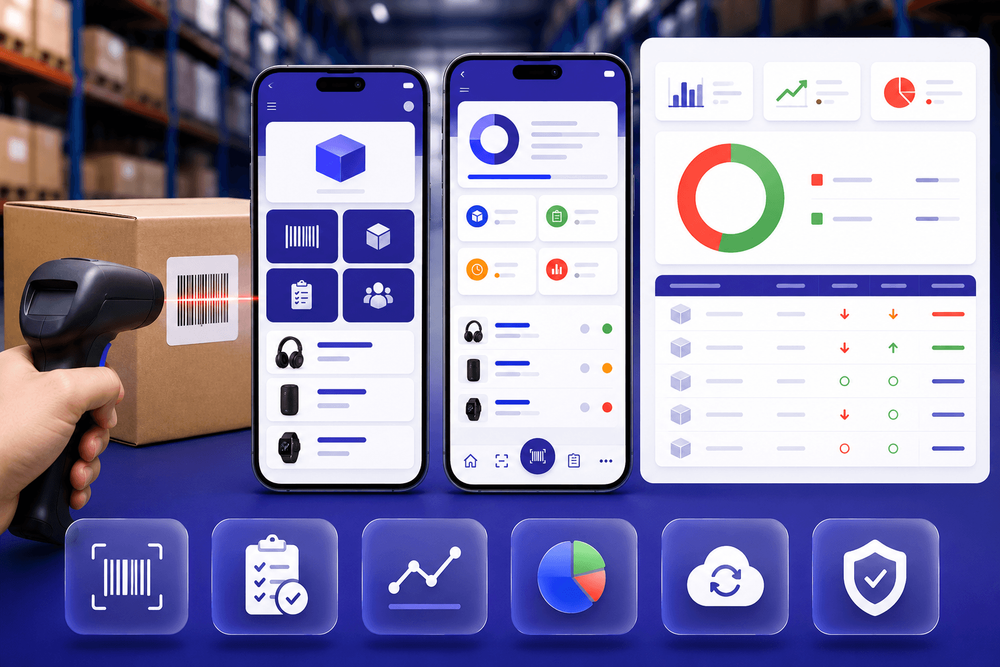
A stock taking app is mobile and cloud-based software that lets your team count inventory on a phone or tablet instead of on paper. As items are scanned or entered, counts sync to a central system in real time, so managers can watch progress and see results without waiting for a manual tally at the end of the shift.
Compared with spreadsheets or desktop-only stock taking software, a modern app gives you four clear advantages:
- Accuracy — scanning a barcode leaves far less room for error than typing SKUs by hand.
- Speed — several people can count different zones at once, and the app totals everything automatically.
- Audit trails — every count is time-stamped and tied to a user, so you know who counted what and when.
- Shrinkage detection — variances between expected and counted quantities are flagged immediately, not months later. This is where a proper inventory audit app becomes more than a convenience. If you deal with compliance, financial reporting, or regular cycle counts, a reliable audit trail is essential — and a dependable stock verification app turns a chaotic annual count into a repeatable, defensible process.
Manual stock takes vs a stock taking app
For "manual vs app" decisions, this comparison sums up the trade-off:
| Factor | Manual / spreadsheet | Stock taking app |
|---|---|---|
| Data entry | Typed by hand, error-prone | Barcode / QR scan |
| Count speed | One person, one zone at a time | Multiple counters in parallel |
| Live visibility | None until reconciliation | Real-time sync and progress |
| Variance reports | Built manually after the count | Generated automatically |
| Offline capability | Paper works, data doesn't sync | Counts queue offline, sync later |
| ERP update | Re-keyed twice | Flows back automatically |
| Audit trail | Weak or missing | Full logs by user and time |
Key features to look for in a stock taking app
When comparing the best stock taking app options, focus on the features that reduce errors and save time on the floor.
Mobile-first design and offline mode
Your team counts where stock lives, aisles, cold rooms, and back corners where signal is weak. A true mobile stock taking experience runs on the phones and tablets you already own and keeps working offline, queuing counts locally and syncing when a connection returns. If an app freezes without signal, it slows every count.
Real-time inventory updates and sync
Live syncing lets supervisors watch progress as it happens — critical for warehouse stock taking where many people count at once. It prevents double-counting and helps managers reassign staff to areas falling behind.
Barcode and QR scanning support
A capable inventory counting app scans barcodes and QR codes with the device camera or a paired scanner. Scanning is the single biggest accuracy upgrade over manual entry and dramatically speeds up high-SKU counts.
Automated audit reports and variance tracking
You should not have to build a report by hand. The app should generate variance reports automatically, expected versus actual quantities, flagged discrepancies, and value impact. This is the core of any serious inventory audit app.
Integration with ERP, WMS, or existing systems
Your stock taking tool should feed your ERP, not replace it. Check for clean integration with systems like Tally, SAP, Zoho, QuickBooks, or Dynamics 365, so counts and adjustments flow back without manual re-entry.
Role-based access and audit logs
A counter should not approve their own variances. Role-based access plus complete audit logs keep the process controlled and audit-ready.
Multi-location and multi-user support
If you run several warehouses, stores, or cities, the app must handle multiple locations and users under one account, with reporting that lets you compare sites at a glance.
How to evaluate stock taking apps for your business
Choosing the right tool comes down to matching capability to your reality — not buying the longest feature list.
- Match features to size and complexity. A single store needs simplicity and fast onboarding; a distributor with three warehouses and 20,000 SKUs needs multi-location support, strong integrations, and robust reporting. Buy for how you operate today, with room to grow.
- Weigh onboarding time. If your team needs a week of training to run a count, adoption suffers. The best tools let a floor staff member run their first scan within minutes.
- Check reliability and support. Ask about uptime and how support is delivered — and in which time zones, which matters for businesses in India serving global customers.
- Compare pricing models. Per user, per location, or flat fee — map the model to your team structure so costs stay predictable as you scale.
- Run a pilot. Test a real count in one warehouse or category before committing. A short trial tells you more than any sales deck.
Common mistakes when choosing a stock taking app
- Choosing on price alone. The cheapest tool your team won't use is the most expensive choice you can make.
- Ignoring integration needs. If counts don't flow into your ERP, you've just moved the manual work elsewhere.
- Overlooking mobile and offline capability. An app that fails in a low-signal warehouse fails when you need it most.
- Not testing with real teams. A tool that dazzles in a demo may frustrate the people counting at 6 a.m. Test with actual users.
- Failing to track ROI. Measure accuracy improvement and hours saved after rollout without numbers, you can't prove value or justify the next investment. For example, a mid-sized apparel retailer that picked purely on cost had no offline mode, so counts stalled in the stockroom and the annual audit ran two days over. A distributor nearby chose an app with strong ERP integration and finished the same-size count in a single shift, because adjustments posted automatically instead of being keyed in twice.
Want to feel the difference yourself? The easiest next step is to try it.
Stockount is a mobile-first stock taking app built for exactly the features above — fast scanning, real-time sync, automated variance reports, and clean ERP integration. Setup takes minutes, not weeks, with no credit card required to get started.
Start your free trial signup today and see how Stockount makes stock taking faster and more accurate.
How Stockount helps you run the right stock takes
Everything in this guide is built into how Stockount works, so you're not stitching tools together:
- Easy mobile stock takes on the phones and tablets you already own, with offline support for low-signal areas.
- Automated audit reports that generate the moment a count closes, ready to share with management.
- Shrinkage and variance tracking that flags expected-versus-actual gaps in real time, not months later.
- Integrations with ERP and inventory platforms like Tally, SAP, Zoho, QuickBooks, and Dynamics 365, Stockount works alongside them rather than replacing them. Because Stockount is a standalone inventory audit layer, a manufacturer can keep running production on SAP while verifying raw-material and finished-goods counts, and a multi-store retailer can standardize counts across every location without changing the ERP finance relies on.
Book a live Stockount demo
Reading about features is useful, but seeing them run against your own inventory is what makes the decision clear.
Book a free 20-minute demo and the Stockount team will show you a live stock take using your own scenario your locations, your SKU volumes, and your ERP. In one session you'll see:
- A mobile stock take from first scan to closed count.
- Automated variance and shrinkage reports generated on the spot.
- A quick ROI snapshot — the accuracy gains and hours you can expect to save.
- Live Q&A on integration with Tally, SAP, Zoho, QuickBooks, or Dynamics 365. No commitment, no obligation — just a clear look at whether Stockount fits your workflow.
Book your live Stockount demo now and see the platform in action with your own inventory data.
Frequently asked questions
What is a stock taking app?
A stock taking app is mobile, cloud-based software for counting inventory by scanning barcodes or QR codes on a phone or tablet. Counts sync to a central system in real time, replacing paper and spreadsheets with faster, more accurate stock takes and automatic variance reporting.
What's the difference between a stock taking app and inventory management software?
Inventory management software runs day-to-day stock levels, orders, and valuation. A stock taking app focuses on the physical count and audit — verifying what's actually on the shelf against the records. The best stock taking apps feed those verified counts straight back into your inventory or ERP system.
Can I do stock taking on my phone?
Yes. A mobile stock taking app turns any modern phone or tablet into a scanner, so teams can count without dedicated hardware. Look for offline mode so counting continues in low-signal areas and syncs automatically once a connection returns.
Do stock taking apps work offline?
Good ones do. Offline mode stores counts locally on the device and syncs them once the connection is restored, which is essential for warehouse stock taking in areas with weak Wi-Fi. Always confirm offline support before choosing an app.
What is the best stock taking app for a small business?
The best stock taking app for a small business is one with fast onboarding, barcode scanning, offline support, and integration with your existing accounting or inventory system. Match the pricing model to your team size and pilot it on real stock before committing.
How does a stock taking app improve inventory accuracy?
It reduces manual entry errors through scanning, syncs counts in real time, and flags variances automatically. Since manual, spreadsheet-based counting is a major source of the roughly 65% average retail inventory accuracy, scanning-based apps are one of the fastest ways to close that gap.
Can a stock taking app integrate with my ERP?
Yes. A capable inventory audit app integrates with common ERP and inventory platforms such as Tally, SAP, Zoho, QuickBooks, and Dynamics 365, so verified counts and adjustments post back automatically instead of being re-keyed by hand.
Conclusion
Choosing a stock taking app is a strategic decision, not just a software purchase. The right tool improves inventory accuracy, shortens counts, and gives you audit-ready reporting you can trust.
Keep the essentials in focus: prioritise mobile and offline capability, real-time sync, scanning, automated variance reports, and solid ERP integration. Evaluate against your actual business size, always run a pilot, and avoid the common mistakes — especially buying on price alone or skipping real-world testing.
Get it right, and stock taking stops being a dreaded chore and becomes a reliable, repeatable process. When you're ready, start a free Stockount signup or book a live demo to see how much faster and more accurate your next count can be.