Manual Stock Audits vs. Automated Inventory Audits: Which Is Better for Growing Businesses?
| By Stockount
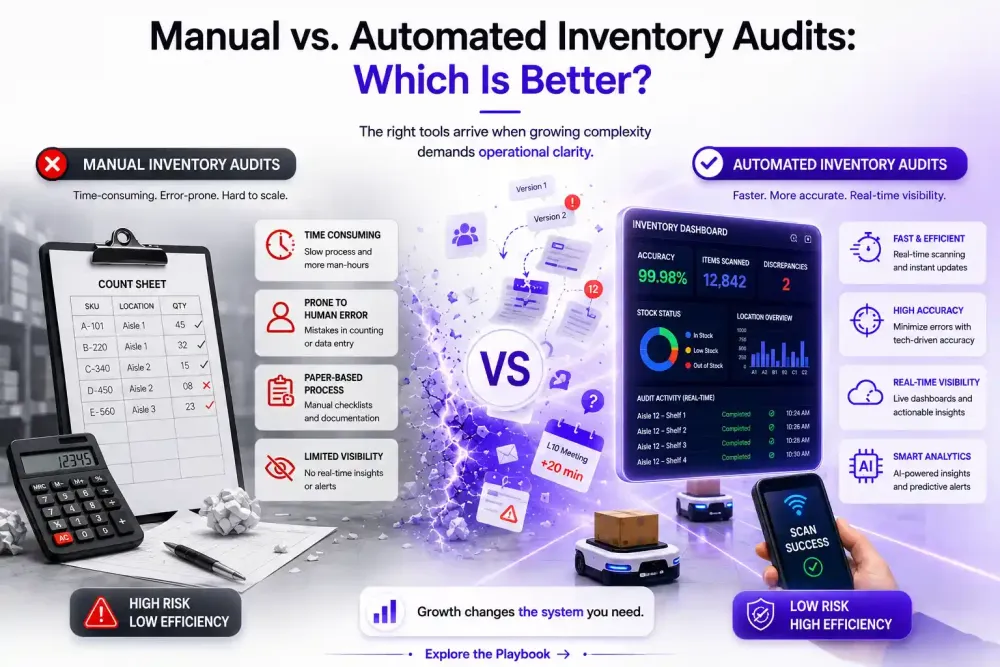
If your team just spent a weekend recounting a warehouse only to find the numbers still don't match your ERP, you already know the real question isn't "what is a stock audit." It's whether the way you're auditing inventory today can keep up with where your business is headed.
Manual stock audits physical counts, spreadsheets, and manual reconciliation, work reasonably well for small operations with a limited number of SKUs and a single location. But as SKU counts grow, locations multiply, and transaction volume increases, the same process that once took an afternoon can start consuming days of staff time, and the discrepancies it uncovers arrive too late to prevent stockouts or overstock.
This article breaks down how manual stock audits and automated inventory audits actually work, where each one holds up and where it doesn't, and how to know when a growing business should move from one to the other or run both together.
What Is a Manual Stock Audit?
A manual stock audit is the traditional approach to verifying that what's physically on your shelves or in your warehouse matches what your records say should be there. It typically involves:
- Physical counting — staff walk the floor or warehouse, counting units by hand or with a barcode scanner
- Spreadsheets or paper-based tracking — counts are logged manually, often in Excel or on paper count sheets
- Reconciliation against system records — counted quantities are compared against ERP, WMS, or POS data
- Discrepancy investigation — any mismatch is flagged and someone has to work out why (miscounts, theft, damage, unrecorded transactions)
- Approval and correction — once discrepancies are explained, someone adjusts the system records and the audit is signed off
Manual audits still make sense in specific situations. A single-location retailer with a few hundred SKUs, a business with low transaction volume, or a company doing a one-time year-end stocktake often doesn't need or can't yet justify the cost of, a dedicated audit system. The process is straightforward, requires no new software, and gives full visibility because a human physically checks every item.
The limitation shows up with scale. Counting is linear: twice the SKUs or locations means roughly twice the labor. Spreadsheets introduce their own error rate through manual entry, formula mistakes, and version confusion between teams. And because manual audits are labor-intensive, most businesses can only run them periodically, monthly, quarterly, or annually — which means inventory records can drift out of accuracy for weeks before anyone notices.
What Is an Automated Inventory Audit?
An automated inventory audit uses software to continuously or frequently reconcile physical inventory data against system records, flag discrepancies automatically, and route them to the right person for investigation — instead of relying on someone to manually cross-check spreadsheets after a count.
In practical terms, this usually includes:
- Automated data collection — counts captured through barcode/RFID scanning, mobile devices, or integrations that pull inventory movement data directly from existing systems
- System-driven reconciliation — the software compares counted quantities against ERP, WMS, or POS records automatically, rather than a person doing the comparison by hand
- Discrepancy detection — variances are surfaced as soon as they're identified, rather than discovered weeks later
- Exception-based investigation — staff time is directed only at the SKUs or locations that show a discrepancy, not spent re-verifying items that already reconcile
- Audit trails — every count, adjustment, and approval is logged, which matters for compliance and for spotting recurring problem areas
- Frequent inventory visibility — audits can run more often (daily or continuously in some workflows) because the reconciliation work itself no longer depends on manual effort
- Integrations with existing systems — automated audits typically connect to the ERP, WMS, or POS a business already uses, rather than replacing it.
It's worth being precise here: automation doesn't mean inventory magically counts itself. Physical verification is still part of the process in most workflows, automation changes how quickly discrepancies are found and how efficiently staff time is allocated to resolving them, rather than eliminating the need for people entirely.
Manual vs. Automated Inventory Audits: Key Differences
| Factor | Manual Stock Audit | Automated Inventory Audit |
|---|---|---|
| Time required | Hours to days, depending on scale | Significantly reduced; reconciliation happens automatically |
| Labor requirements | High — scales linearly with SKUs/locations | Lower per-audit; effort concentrated on exceptions |
| Accuracy | Dependent on individual diligence; prone to entry errors | More consistent, since reconciliation logic doesn't vary by person |
| Scalability | Difficult beyond a few hundred SKUs or one location | Built to handle growing SKU counts and multi-location operations |
| Audit frequency | Usually periodic (monthly/quarterly/annually) | Can be run far more frequently |
| Human error | Present at counting, entry, and reconciliation stages | Reduced in reconciliation; still possible at physical count stage |
| Discrepancy detection | Delayed until the audit is completed and reviewed | Faster, often as soon as data is captured |
| Reconciliation | Manual comparison, typically in spreadsheets | System-driven, automatic comparison |
| Reporting | Built manually after the audit | Generated automatically, often with dashboards |
| Audit trails | Inconsistent unless deliberately maintained | Logged systematically by the software |
| Multi-location support | Difficult to consolidate across sites | Designed to aggregate data across locations |
| Cost at scale | Rises with SKU/location growth | Software cost is more predictable relative to scale |
| Ease of investigation | Requires manually cross-referencing records | Exceptions are pre-flagged for investigation |
Neither column is universally "better" — the table is meant to show where each approach's tradeoffs actually bite as a business grows.
The Hidden Cost of Manual Stock Audits
The visible cost of a manual audit is staff time on count day. The hidden costs show up afterward, and they're often larger:
- Employee time beyond the count itself. Reconciling spreadsheets, chasing down discrepancies, and re-verifying disputed counts routinely take longer than the physical count.
- Operational disruption. Full stock counts often mean pausing part of the floor or warehouse operation, which has a real cost even when it isn't itemized anywhere.
- Delayed discrepancy detection. Because manual audits are periodic, a discrepancy that emerged the week after the last count may not surface until the next one — sometimes months later.
- Repeated recounts. Ambiguous or disputed results often trigger a second (or third) manual count of the same area, doubling labor for the same information.
- Spreadsheet errors. Manual entry introduces its own error rate, independent of counting accuracy.
- Stockouts from inaccurate records. When system inventory doesn't reflect reality, purchasing and fulfillment decisions get made on bad data.
- Excess inventory. The opposite failure mode — overstocking to compensate for uncertainty — ties up working capital.
- Lost sales and customer experience issues. A sale promised on inventory that isn't actually there is a customer experience problem, not just an inventory one.
- Management time on investigation. Discrepancy investigation frequently pulls in supervisors or managers, not just floor staff. Industry research consistently points to inventory accuracy as a widespread, not isolated, problem. Recent industry data cited by NetSuite put the average inventory accuracy rate across companies at around 83%, and separate research from Manhattan Associates found that roughly two-thirds of retailers report having an accurate view across their entire operation — meaning a meaningful share do not. Academic research on stocktaking has also found that a large share of audited SKUs show a mismatch between recorded and physical quantities at the time of counting. None of this means manual auditing is broken by definition — it means the gap between recorded and actual inventory tends to widen with scale and time between counts, regardless of how careful the counting team is.
Still relying on manual counts and spreadsheets to identify inventory discrepancies? Stockount helps businesses automate inventory audits, surface variances as they occur, and focus teams on the exceptions that actually need attention — instead of re-verifying inventory that was already correct.
Left unaddressed, these discrepancies often trace back to a small set of recurring causes, see common causes of stock discrepancies for a closer look at where the gap between recorded and actual inventory typically starts.
When Should a Business Move From Manual to Automated Inventory Audits?
There's no single SKU count or revenue threshold that marks the switch. Instead, watch for these practical indicators:
- Multiple warehouses or store locations that need to be reconciled against each other, not just individually
- Rapidly increasing SKU counts, especially with new product lines or variants
- Frequent inventory discrepancies that keep recurring in the same categories or locations
- Audits consuming significant staff time — if counting and reconciliation are eating into a meaningful share of a team's week
- Difficulty reconciling ERP, WMS, and POS data that live in separate systems and drift out of sync
- Recurring stockouts despite sufficient system-recorded inventory — a strong sign that recorded and physical inventory have diverged
- Growing inventory value, where the financial risk of inaccurate records is rising
- Inability to audit as frequently as the business actually needs, because manual audits simply take too long to run more often If two or three of these apply, it's usually worth evaluating automation — not necessarily replacing manual counts entirely, but changing how the reconciliation and discrepancy-detection work gets done.
Can Manual and Automated Audits Work Together?
Yes — and for most growing businesses, this hybrid model is more realistic than an all-or-nothing switch. Automation doesn't have to mean eliminating physical verification; it typically means using automation to decide where physical verification is most needed.
A practical hybrid approach looks like:
- Automated monitoring of inventory data across locations and systems on an ongoing basis
- Exception detection that flags specific SKUs or locations showing discrepancies, rather than treating the whole inventory as equally uncertain
- Targeted physical verification of just the flagged items, instead of a full recount
- Cycle counting — counting a rotating subset of inventory regularly, informed by what the automated system has flagged as higher-risk
- Discrepancy investigation that starts with system-generated context (last known count, recent transactions, location history) instead of starting from zero In this model, automation doesn't replace the audit team — it makes their time more targeted and productive, directing physical effort toward the inventory that actually needs a human look.
How to Choose Inventory Audit Software
If a business decides automation makes sense, the evaluation should go beyond price. A practical checklist:
- ERP/WMS/POS integrations — does it connect to the systems already in use, or does it require a separate parallel workflow?
- Automated discrepancy detection — how quickly are variances surfaced, and how are they prioritized?
- Reconciliation capabilities — can the software handle reconciliation across multiple data sources, not just one?
- Multi-location support — can audits be run and compared across warehouses or stores from one place?
- Audit history — is there a clear, searchable record of past counts, adjustments, and approvals?
- Reporting and dashboards — can managers see accuracy trends over time, not just single-audit snapshots?
- Exception management — does the workflow route discrepancies to the right person automatically?
- Scalability — will it hold up as SKU count, location count, or transaction volume grows?
- Ease of implementation — how much setup and change management does it actually require?
- Data security — how is inventory and transaction data protected, especially across integrated systems?
- Workflow capabilities — does it support approval steps, recounts, and role-based access that match how the team actually works? No single software will maximize every item on this list equally, the right choice depends on which of these matter most for the specific operation.
Manual vs. Automated Inventory Audits: Which Is Better?
The honest answer is that it depends on where a business actually is, not where it hopes to be.
For a small operation with a limited number of SKUs, a single location, and infrequent inventory changes, manual audits can remain sufficient for some time, the cost and complexity of automation may not be justified yet. But as SKU counts grow, locations multiply, and audits start eating into meaningful staff time, the value of automation tends to increase faster than its cost, because the hidden costs of manual auditing, delayed detection, repeated recounts, management time on investigation, scale with the business in a way that manual processes weren't designed to absorb.
Rather than asking "which is better" in the abstract, growing businesses are better served evaluating total cost, accuracy, audit frequency, and scalability together, not software price in isolation. For businesses that are already seeing the indicators above, platforms like Stockount are worth evaluating specifically for how they handle reconciliation across systems, discrepancy detection, and multi-location visibility.
Ready to Reduce the Manual Work in Your Inventory Audits?
If your team is still spending days reconciling spreadsheets, chasing discrepancies across locations, or discovering stock issues only after they've already caused a stockout, it may be time to see what automated reconciliation looks like for your operation. Stockount is built to help growing businesses improve inventory accuracy, detect discrepancies faster, reduce manual audit effort, and scale auditing across multiple locations with better operational visibility.
Frequently Asked Questions
Q1: What is the difference between a manual and automated inventory audit? A manual inventory audit relies on physical counting and manual reconciliation, typically using spreadsheets to compare counted quantities against system records. An automated inventory audit uses software to capture count data, reconcile it against ERP, WMS, or POS records automatically, and flag discrepancies for investigation, reducing the manual reconciliation work, though physical verification is often still involved.
Q2: Are automated inventory audits more accurate than manual audits? Automation tends to reduce errors introduced during manual data entry and reconciliation, since the comparison logic is applied consistently rather than depending on an individual's diligence. However, accuracy still depends on the quality of the underlying data capture, so automation improves consistency more reliably than it guarantees perfect accuracy on its own.
Q3: How much does inventory audit software cost? Pricing varies widely depending on the number of locations, SKUs, users, and required integrations, so there isn't a single representative figure. Businesses evaluating software should request pricing based on their specific scale and compare it against the ongoing labor cost of their current manual process, not just against a flat subscription fee.
Q4: When should a business automate inventory audits? Common indicators include multiple locations, rapidly growing SKU counts, audits consuming significant staff time, recurring discrepancies, and difficulty reconciling data across ERP, WMS, and POS systems. If several of these apply, it's typically worth evaluating automated options.
Q5: Can inventory audit software integrate with an ERP or WMS? Many inventory audit platforms are built to integrate with existing ERP, WMS, or POS systems rather than replace them, pulling inventory and transaction data directly from the systems a business already uses. The specific integrations available vary by platform, so this should be confirmed against the systems in use before choosing software.
Q6: Can automated inventory audits replace physical stock counts? Not entirely, in most cases. Automation primarily improves how quickly discrepancies are detected and how efficiently staff time is allocated to investigating them; physical verification of flagged items usually remains part of the workflow, particularly for high-value or high-discrepancy inventory.
Q7: What features should businesses look for in inventory audit software? Key features include integrations with existing systems, automated discrepancy detection, multi-location reconciliation, audit history and trails, reporting dashboards, exception management workflows, and scalability as inventory volume grows. The right combination depends on the specific operation's size and complexity.
Q8: How does inventory audit automation reduce inventory discrepancies? Automation doesn't eliminate the underlying causes of discrepancies, miscounts, unrecorded transactions, damage, or system sync issues, but it surfaces them faster and more consistently than periodic manual audits do. Earlier detection means discrepancies are investigated and corrected before they compound or lead to stockouts.